An SAP payment run can pass through approval and accounting while leaving the finance team with only a partial view of what happened at the bank.
Across multiple entities and banking relationships, that gap becomes harder to manage. Payment acknowledgements, processing updates and statement entries arrive through different channels and on different schedules. Finance needs to establish a reliable trail from approval to settlement and reconciliation.
For SAP architects and implementation partners, connectivity is therefore an architectural and operational decision. It determines how instructions reach banks, how exceptions are investigated and how changes are supported long after the original implementation.
The essentials
- SAP Multi-Bank Connectivity (SAP MBC) is an SAP-managed product; multi-bank connectivity also describes a broader integration pattern.
- A successful connection must be evaluated for payments, status messages and bank statements—not only whether a bank is listed as connected.
- For India, bank- and service-level coverage is often more decisive than the nominal protocol: API, SFTP, EBICS or Swift.
What SAP Multi-Bank Connectivity actually is
SAP Multi-Bank Connectivity is a managed service on SAP Business Technology Platform that provides secure, bidirectional exchange of financial messages between supported ERP environments and banks. Depending on the bank, the connection can use SFTP/host-to-host, EBICS, Swift or APIs.
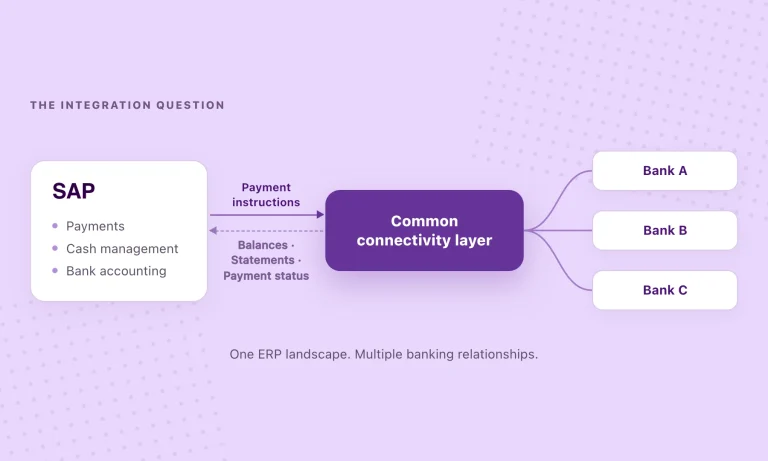
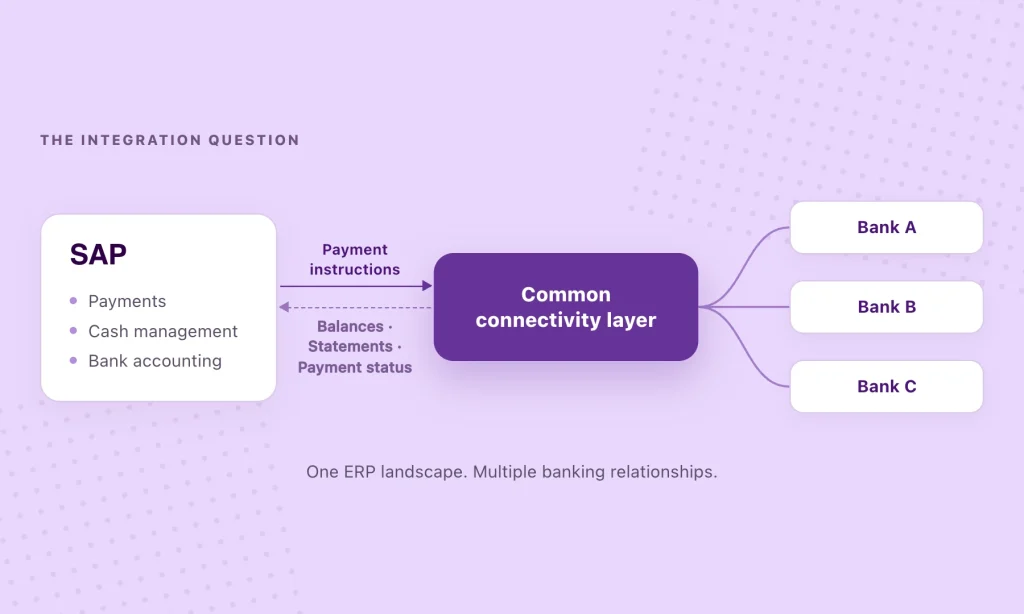
The terminology needs care. SAP MBC is SAP’s named service and network. Multi-bank connectivity is also a broader integration model: a common communication layer between an enterprise’s financial systems and multiple banks. Depending on the requirements, that layer can be delivered through SAP MBC, directly maintained interfaces or a specialist banking API provider.
Important distinction. SAP MBC is not restricted to a closed list of member banks. SAP documents paths for connecting non-member banks too. But a feasible technical connection is not the same as guaranteed availability of every balance, statement or payment service. Bank onboarding and supported scenarios must be verified.
How bank communication works: payment to reconciliation
Consider an ordinary supplier payment. Creating and transmitting the instruction is only the beginning. The bank may acknowledge receipt, report a processing outcome and subsequently include the transaction in a statement. Each event answers a different question—and each depends on the bank and channel in use.
| Step | SAP / ERP | Connectivity layer | Bank |
|---|---|---|---|
| 01 · Outbound payment instruction → | Payment run and approval Creates bank payment instruction; ISO 20022 pain.001 in applicable configurations | Transmit and route SAP MBC / H2H / selected API provider; formats and security depend on interface | Bank receives instruction Validates and processes it against applicable bank and payment-rail rules |
| 02 · Inbound acknowledgement and payment status ← | Update payment monitoring Correlate response to payment batch; investigate accepted, rejected or pending items | Return supported status pain.002 or bank-specific response, where available and mapped | Bank acknowledgement Acceptance is not by itself proof of final settlement |
| 03 · Inbound transaction data for reconciliation ← | Electronic bank statement processing Import, posting rules, matching and review of unmatched items in SAP | Deliver bank statement MT940, camt.053 or a mapped bank-specific format where supported | Bank records transaction Actual booked transaction appears in bank statement or transaction data |
The flow represents a common SAP banking design, not a claim that OPEN’s APIs emit ISO 20022 messages directly. An API-based implementation may use different request and response structures, mapped on the ERP side. See SAP’s connector message types.
- 01 / Instruction — Did the bank receive it? A file or API request leaving SAP only proves transmission, not processing.
- 02 / Status — Was it accepted or rejected? Use the bank’s available response to track the submitted instruction.
- 03 / Accounting — Did the entry post and match? Bank transaction data and SAP configuration determine reconciliation outcomes.
Payment transmission, status monitoring and statement delivery should therefore be specified as distinct capabilities. SAP electronic bank statement processing can consume formats such as MT940 and camt.053, depending on the deployment and configuration. But the timing, completeness and quality of the incoming data still determine how much exception work remains.
Why the Indian banking landscape changes the evaluation
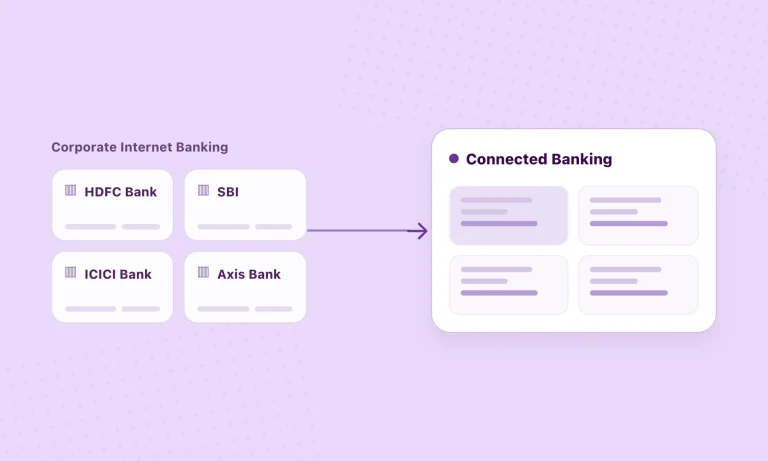
Consider an Indian enterprise managing accounts with HDFC Bank, ICICI Bank, State Bank of India and several other institutions. Its finance teams may use NEFT, RTGS and IMPS, operate different approval structures and need different levels of account reporting. SAP provides a common accounting environment, but it does not make the underlying bank interfaces uniform.
A bank appearing on a provider’s coverage list says little about the services available through that connection. Balance reporting may be available through an API while another workflow relies on file exchange. Statement frequency, payment-status responses and permitted payment rails can vary by bank and account arrangement. The relevant unit of evaluation is the bank-service combination, not the number of bank logos.
A useful starting point is a bank-by-bank, service-by-service capability matrix covering balances, statement frequency, payment initiation, acknowledgements, transaction records and responsibility for exceptions. It should reflect the organisation’s actual accounts and service agreements, not a generic product capability list.
Three architecture choices for connecting SAP with banks
There are three established ways to approach the connectivity layer, and they need not be mutually exclusive. An enterprise may retain proven host-to-host connections, use SAP MBC for selected banking relationships and introduce a specialist API layer where it offers practical advantages. The choice should follow the required services and operating model—not a preference for one protocol.
1. Direct bank integration or host-to-host
The ERP or middleware exchanges messages directly with banks, often using secure file transfer and bank-specific formats. This can be a sensible choice for stable, high-volume relationships. The trade-off is that onboarding and maintaining each bank interface may remain the responsibility of the enterprise or its implementation partner.
2. SAP Multi-Bank Connectivity
SAP MBC supplies a managed network and ERP integration approach, supporting different channels for member and non-member banks. It can reduce the need to build a separate communications layer, but bank onboarding, channel selection and service availability still require confirmation. SAP describes the available bank connection options in its product documentation.
3. A common banking API layer
A specialist provider maintains supported bank connections and exposes a common set of APIs to the ERP integration. This can reduce bank-specific development when the required bank and service are already supported. It does not eliminate onboarding, bank authorisation, security design, ERP mapping or testing—and it need not replace existing connections that work well.
| Consideration | Direct / host-to-host | SAP MBC | Common API layer |
|---|---|---|---|
| Connectivity model | Bank-specific interface and operational setup | Managed SAP bank-communication network over supported channels | Provider-managed bank connections exposed through shared APIs |
| Adding a bank | May require a new interface, configuration and testing | Requires bank onboarding and confirmation of the selected channel | May reuse the integration when the bank/service is already supported; onboarding still applies |
| Core responsibility | Enterprise or integration partner manages bank interfaces | SAP operates its network; customer and bank coordinate onboarding and ERP configuration | Provider manages its connectivity layer; customer/partner owns ERP-side integration and controls |
| Payment/status coverage | Depends on each bank’s interface and agreed services | Depends on bank, channel, messages and configuration | Depends on provider, bank, account and specific API capability |
| When to evaluate | Established, stable and well-supported bank relationships | Standardised SAP-centric communication across required banks | Reusable API integration across multiple supported Indian banks |
What a common banking API layer can actually improve
The value of a common API layer is not the use of APIs itself. It is the possibility of separating bank-specific complexity from the ERP-side integration, so that adding a supported bank does not necessarily mean rebuilding the same functionality.
Reusable integration patterns
Implementation partners can develop around a consistent set of interfaces for available balances, statements and payment services, while accounting for differences in bank-level coverage.
More dependable finance visibility
Consolidated access to banking information can reduce manual collection and portal switching. The frequency and timeliness of updates, however, remain functions of the services each bank provides.
Better inputs to reconciliation
Structured bank information can feed SAP’s posting and matching workflows. Connectivity improves the inputs; SAP configuration and exception-handling procedures still determine the reconciliation outcome.
More manageable post-go-live changes
As clients add entities and banking relationships, reusable integration patterns may contain development effort. New services still require onboarding, appropriate controls and acceptance testing.
Where OPEN fits in an SAP banking architecture
OPEN provides an API-led connectivity layer spanning 40+ Indian banks, with published capabilities for bank information and payment workflows. Its bank coverage includes HDFC Bank, ICICI Bank and SBI. For any SAP implementation, the relevant question is which specific services are available for the client’s banks, accounts and approval arrangements.
SAP owns the financial workflow. OPEN provides the connection to supported banks.
SAP Business One
OPEN’s published add-on describes bringing balances and statement lines into Business One, sending approved payments through OPEN and posting settled payments back with bank references. Sync monitoring and retries are also described.
SAP S/4HANA and ECC
These landscapes can be assessed for an API-based integration, with connector design, data mapping, approvals and available bank services defined during technical scoping. OPEN’s published Business One add-on should not be interpreted as an out-of-the-box S/4HANA or ECC connector.
For SAP implementation partners, the opportunity lies in an extensible banking design. When clients add accounts or expand to supported banks, ERP-side integration patterns can potentially be reused while retaining control over approvals, accounting and reconciliation in SAP.
Six questions to settle before an SAP banking integration
The final architecture is only as good as the operating assumptions behind it. Before committing to a connection model, SAP teams should establish the functional scope, control boundaries and ownership of change.
- Which SAP landscape? Business One, ECC and S/4HANA have different extension and integration options.
- Which banks and services? List accounts and check balances, statements, payment rails and status messages separately.
- Where do approvals live? Define maker-checker, bank authorisations and who can trigger or release a payment.
- What happens after initiation? Specify acknowledgements, rejected payments, settlement evidence and exception ownership.
- How is statement data mapped? Agree formats, posting rules, reference matching, frequency and unmatched-item processes.
- Who supports change? Document bank onboarding, credential rotation, monitoring, retries, incident handling and integration updates.
The measure of a good banking integration isn’t how many banks appear in a diagram. It’s whether the finance team can rely on the information and workflows after go-live.
A dependable integration should meet that standard not only at go-live, but as the enterprise adds banking relationships, changes approval structures and expands its financial operations.
Extend banking connectivity without changing your ERP.
Explore the supported bank connections and SAP Business One integration, then scope the requirements for your own ERP landscape.
Frequently asked questions
Does SAP already offer multi-bank connectivity?
Yes. SAP Multi-Bank Connectivity is a managed SAP service for bidirectional financial message exchange. Enterprises can also use direct bank interfaces or third-party connectivity services. These are architectural choices, not identical products.
Can SAP Multi-Bank Connectivity connect Indian banks?
Potentially, yes. SAP documents connection options for member and non-member banks. The required Indian bank must still be onboarded and the chosen channel must support the actual payments, status responses or statements needed by the enterprise.
Can HDFC Bank, ICICI Bank and SBI be integrated with SAP?
These banks can be part of SAP integration projects through applicable bank-specific interfaces or a connectivity provider. OPEN publicly describes connections with these banks. Always validate the exact services, accounts and SAP integration path rather than assuming identical features across banks.
What is the difference between pain.001, pain.002 and camt.053?
In applicable ISO 20022 workflows, pain.001 is a customer credit-transfer initiation message; pain.002 carries payment-status information; camt.053 represents a bank-to-customer statement. A status message should not be treated as a guarantee that the final bank transaction has settled.
Can SAP automatically import bank statements?
Supported SAP environments can process electronic bank statements, including formats such as MT940 and camt.053, with configured mapping and posting rules. The banking integration must deliver the appropriate data and exceptions may still need review.
Does multi-bank connectivity automatically reconcile payments?
No. Connectivity supplies supported bank transaction and statement information. Matching, clearing, posting and exception management depend on the SAP configuration and operational controls.
Is an API layer always better than host-to-host?
No. Host-to-host connections can be effective, particularly for stable enterprise arrangements. A common API layer can help where a provider supports multiple required banks and services through reusable interfaces. Compare coverage, controls, economics and long-term support rather than choosing by protocol alone.