SAP payment runs give finance teams a record of which payments have been approved and submitted. Tracking those payments at the bank can be more complicated, particularly when the business operates several accounts across different banks.
Bank acknowledgements, payment status updates and statements may arrive at different times and through different channels. Finance teams need all three to track supplier payments, investigate failures and reconcile bank transactions in SAP.
For SAP architects and implementation partners, the choice of banking integration affects day-to-day finance operations as well as the amount of work involved in maintaining bank connections after go-live.
The essentials
- SAP Multi-Bank Connectivity (SAP MBC) is an SAP-managed product; multi-bank connectivity also describes a broader integration pattern.
- Check availability of payments, status messages and bank statements for each bank.
- In India, service availability varies by bank, account and connection method, including API, SFTP, EBICS and Swift.
What is SAP Multi-Bank Connectivity?
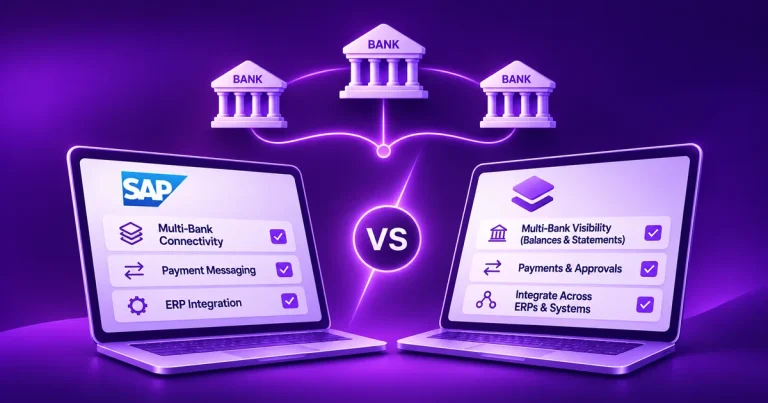
SAP Multi-Bank Connectivity is a managed service on SAP Business Technology Platform that supports secure, two-way exchange of financial messages between supported ERP environments and banks. Depending on the bank, the connection can use SFTP/host-to-host, EBICS, Swift or APIs.
Multi-bank connectivity is also the general term for connecting an ERP or other financial system to several banks through a common communication layer. Enterprises can implement this through SAP MBC, direct bank interfaces or a banking API provider.
SAP MBC supports connection options for banks outside its member network as well. Check the onboarding requirements and available services for each bank before finalising the integration.
How bank communication works: payment to reconciliation
A supplier payment typically involves three exchanges between SAP and the bank: the payment instruction, a response from the bank and the statement data used for reconciliation. The following table shows how these exchanges work in a typical SAP integration.
| Step | SAP / ERP | Connectivity layer | Bank |
|---|---|---|---|
| 01 · Outbound payment instruction → | Payment run and approval Creates bank payment instruction; ISO 20022 pain.001 in applicable configurations | Transmit and route SAP MBC / H2H / selected API provider; formats and security depend on interface | Bank receives instruction Validates and processes it against applicable bank and payment-rail rules |
| 02 · Inbound acknowledgement and payment status ← | Update payment monitoring Correlate response to payment batch; investigate accepted, rejected or pending items | Return supported status pain.002 or bank-specific response, where available and mapped | Bank acknowledgement Acceptance is not by itself proof of final settlement |
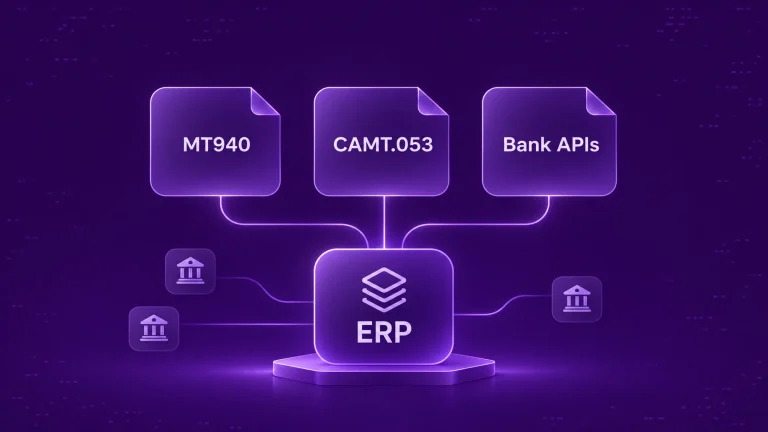
| 03 · Inbound transaction data for reconciliation ← | Electronic bank statement processing Import, posting rules, matching and review of unmatched items in SAP | Deliver bank statement MT940, camt.053 or a mapped bank-specific format where supported | Bank records transaction Actual booked transaction appears in bank statement or transaction data |
The message formats shown above are examples from SAP banking workflows. OPEN uses APIs, whose request and response structures may require mapping within the ERP integration. See SAP’s connector message types.
When defining the integration scope, include payment initiation, status monitoring and statement delivery as separate requirements. SAP can process electronic bank statements in formats such as MT940 and camt.053, depending on the deployment and configuration. Timely, complete statement data helps reduce the work involved in resolving unmatched transactions.
SAP bank integration in India: what to check
Indian enterprises often maintain accounts with HDFC Bank, ICICI Bank, State Bank of India and other banks across their legal entities. Their banking requirements can range from NEFT, RTGS and IMPS payments to account reporting and entity-specific approval arrangements. Each bank has its own interface and service capabilities, which the SAP integration must accommodate.
Even within the same bank, the available services may differ by account arrangement. Balance enquiries may use an API, for example, while statements are delivered through file exchange. Payment rails, statement frequency and status updates can vary too.
Start with an inventory of the actual bank accounts in use. For each bank, document the available balance and statement services, payment initiation options, status responses and the process for resolving exceptions. This gives the implementation team a practical basis for evaluating providers.
Three architecture choices for connecting SAP with banks
SAP teams have three main options for integrating banks. These can coexist within the same implementation, particularly where the enterprise already has established host-to-host connections.
1. Direct bank integration or host-to-host
With direct integration, SAP or its middleware communicates with each bank, often through secure file transfer using bank-specific formats. This works well for established, high-volume banking relationships. The enterprise or implementation partner may need to maintain each interface and manage changes requested by the bank.
2. SAP Multi-Bank Connectivity
SAP MBC provides a managed communication network for SAP environments, with several connection options for member and non-member banks. It can reduce the development required for the communication layer. The bank onboarding process and available services depend on the selected channel. SAP describes the available bank connection options.
3. A common banking API layer
A banking API provider maintains connections to supported banks and gives the ERP integration a shared set of interfaces. Implementation teams can reuse these interfaces when adding a bank whose services are already supported. Bank authorisation, security, ERP mapping and testing remain part of the project. Existing connections can be retained where appropriate.
| Consideration | Direct / host-to-host | SAP MBC | Common API layer |
|---|---|---|---|
| Connectivity model | Bank-specific interface and operational setup | Managed SAP bank-communication network over supported channels | Provider-managed bank connections exposed through shared APIs |
| Adding a bank | May require a new interface, configuration and testing | Requires bank onboarding and confirmation of the selected channel | May reuse the integration when the bank/service is already supported; onboarding still applies |
| Core responsibility | Enterprise or integration partner manages bank interfaces | SAP operates its network; customer and bank coordinate onboarding and ERP configuration | Provider manages its connectivity layer; customer/partner owns ERP-side integration and controls |
| Payment/status coverage | Depends on each bank’s interface and agreed services | Depends on bank, channel, messages and configuration | Depends on provider, bank, account and specific API capability |
| When to evaluate | Established, stable and well-supported bank relationships | Standardised SAP-centric communication across required banks | Reusable API integration across multiple supported Indian banks |
Connect your SAP environment to multiple Indian banks
Explore OPEN’s banking APIs for account information, statements and payments within your existing SAP setup.
Benefits of a common banking API layer for SAP
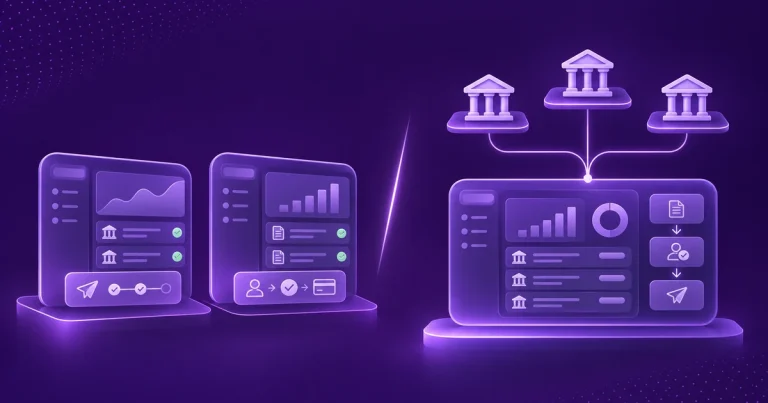
A shared API layer reduces the amount of bank-specific development carried out within the ERP integration. Much of the benefit becomes apparent when a business adds another supported bank or extends an existing banking workflow.
Reusable integration patterns
Implementation partners can reuse interfaces for balance enquiries, statements and payments across banks that support those services.
Access to bank balances and transactions
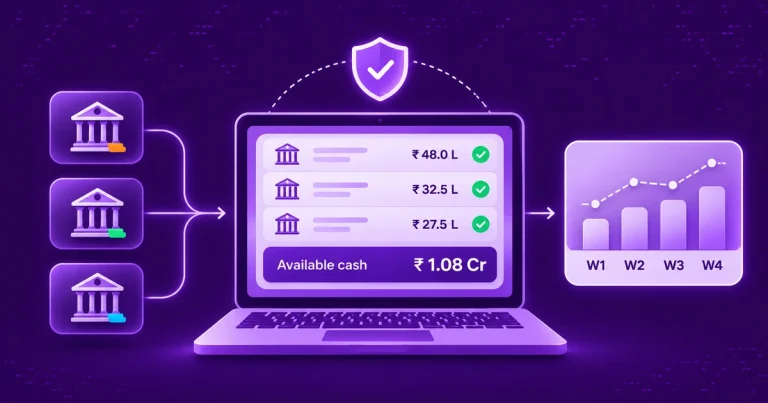
Finance teams can access banking information in one place and spend less time collecting statements or signing in to separate bank portals. Update frequency depends on the bank’s available services.
Bank data for reconciliation
Structured transaction data can be passed to SAP for posting and matching. The finance team can then use its configured reconciliation rules and review unmatched entries within the ERP.
Adding banks after go-live
As the business adds entities and bank accounts, implementation teams can reuse parts of the original integration. New accounts and services still need to go through onboarding, control checks and acceptance testing.
Connecting SAP to Indian banks with OPEN
OPEN connects businesses to 40+ Indian banks through a common API layer, including HDFC Bank, ICICI Bank and SBI. SAP teams can use the available bank information and payment APIs to integrate banking workflows into the ERP. The scope is agreed according to the bank accounts, services and approval arrangements involved.
OPEN integration options for SAP
SAP Business One
OPEN’s published add-on brings bank balances and statement lines into Business One, supports sending approved payments through OPEN and posting settled payments back with bank references. The documented integration also includes sync monitoring and retries.
SAP S/4HANA and ECC
For SAP S/4HANA and ECC, OPEN’s APIs can be evaluated as part of a scoped integration project. The technical team defines the connector, data mapping, approval flow and required bank services. The Business One add-on is specific to Business One; S/4HANA and ECC require their own integration assessment.
Implementation partners can design the ERP-side integration with future bank additions in mind, while keeping approvals, accounting and reconciliation within the client’s SAP environment.
SAP banking integration checklist
Agree on the banking scope and support responsibilities before choosing an integration model. The following six questions are useful during discovery and technical design.
- Which SAP landscape? Business One, ECC and S/4HANA have different extension and integration options.
- Which banks and services? List accounts and check balances, statements, payment rails and status messages separately.
- Where do approvals live? Define maker-checker, bank authorisations and who can trigger or release a payment.
- What happens after initiation? Specify acknowledgements, rejected payments, settlement evidence and exception ownership.
- How is statement data mapped? Agree formats, posting rules, reference matching, frequency and unmatched-item processes.
- Who supports change? Document bank onboarding, credential rotation, monitoring, retries, incident handling and integration updates.
The implementation also needs a clear support process for new accounts, bank interface changes and payment exceptions after go-live.
Connect more banks to your existing ERP
Talk to OPEN about integrating bank balances, statements and payments with your SAP environment.
Frequently asked questions
Does SAP already offer multi-bank connectivity?
Yes. SAP Multi-Bank Connectivity is SAP’s managed service for exchanging financial messages with banks. Direct bank integration and third-party banking API providers are also available as alternative integration approaches.
Can SAP Multi-Bank Connectivity connect Indian banks?
Indian banks may be connected through SAP MBC’s member or non-member bank connection options. Confirm onboarding availability and the required payment, status and statement services with the bank and SAP before implementation.
Can HDFC Bank, ICICI Bank and SBI be integrated with SAP?
Yes, subject to the bank’s available interfaces and the SAP integration design. OPEN lists HDFC Bank, ICICI Bank and SBI among its bank connections. Confirm the required account-level services during technical scoping.
What is the difference between pain.001, pain.002 and camt.053?
In ISO 20022 workflows, pain.001 initiates a customer credit transfer, pain.002 communicates payment status and camt.053 carries bank statement information. A payment status message alone may not establish final settlement.
Can SAP automatically import bank statements?
Yes. Supported SAP environments can import electronic bank statements in formats such as MT940 and camt.053. The integration must deliver the required statement data, and SAP needs configured mapping and posting rules. Unmatched entries may require manual review.
Does multi-bank connectivity automatically reconcile payments?
Multi-bank connectivity supplies transaction and statement data for reconciliation. Automatic matching, clearing and posting require the appropriate SAP configuration and controls. Exceptions may still need to be handled by the finance team.
Is an API layer always better than host-to-host?
Both approaches are used in enterprise banking. Host-to-host can work well for stable banking relationships, while a common API layer can reduce development across multiple supported banks. Compare service coverage, controls, implementation cost and ongoing support.