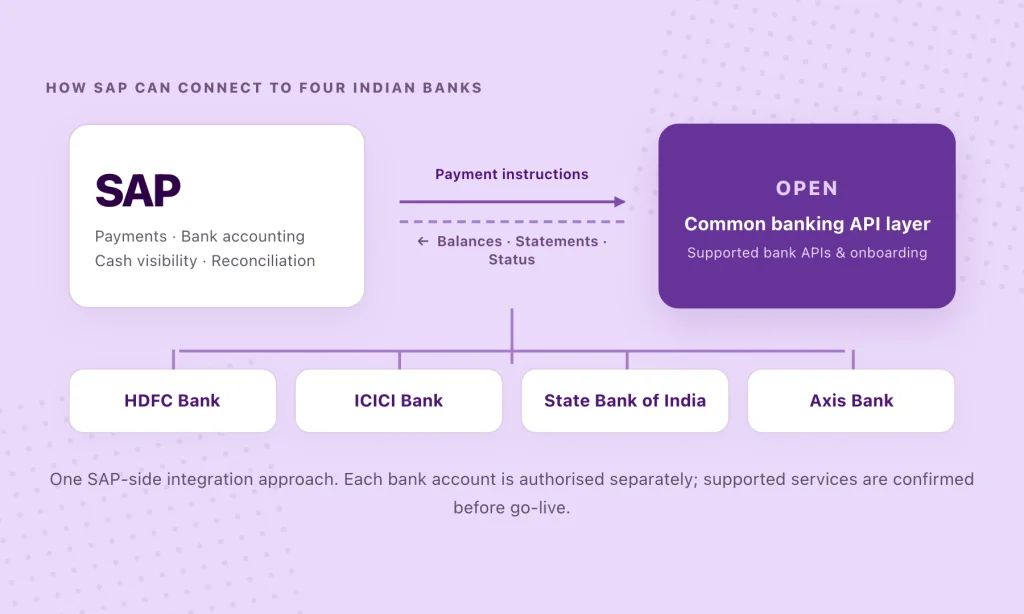
A manufacturer might collect customer payments into HDFC Bank, pay suppliers from ICICI Bank, use SBI for working capital and maintain a project account at Axis Bank.
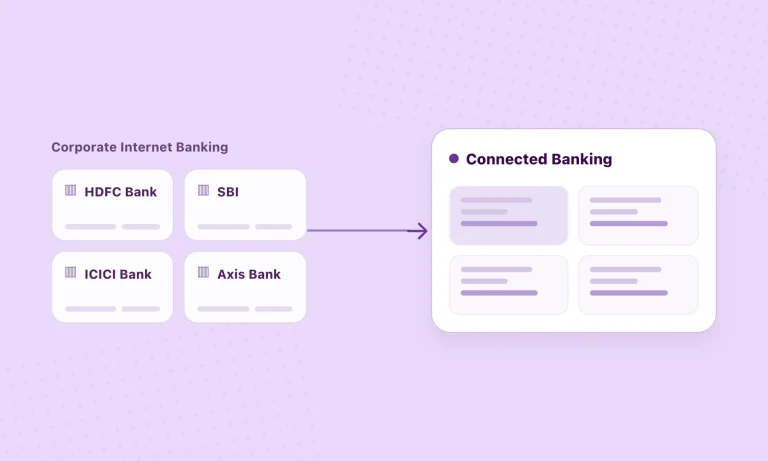
Each bank serves a purpose. The problem begins when finance has to collect balances and statements from four portals before deciding which account to pay from—and return to those portals to check what happened. Bringing supported bank information into SAP can give the team a clearer view of available funds and more time to focus on payment decisions rather than gathering data.
Four banks should not mean four SAP integration projects
Direct bank connections and host-to-host arrangements may already work well. The complication comes when every new bank, account or service needs its own interface, testing and ongoing support.
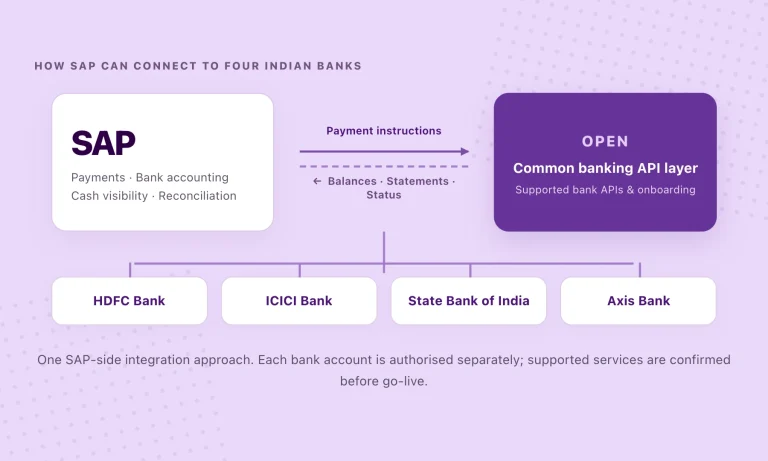
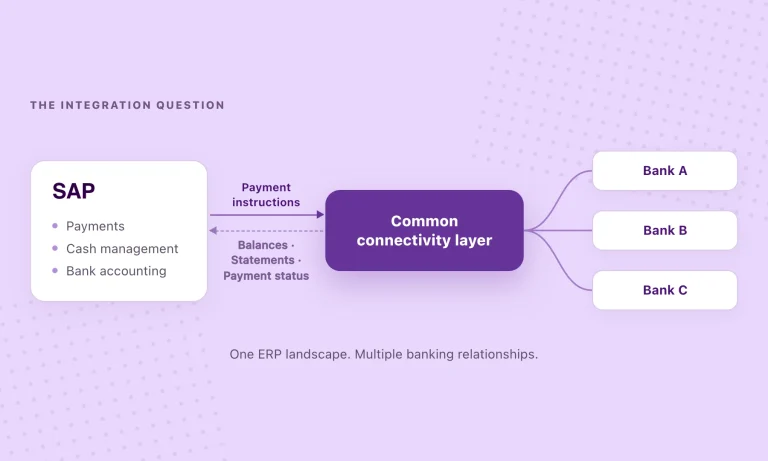
OPEN provides a common API layer for supported Indian banks. Instead of maintaining four separate bank integrations in SAP, your team can work with a reusable connection to OPEN for available balances, statements and payment services. The bank accounts stay where they are. Each connection still needs bank authorisation and the right permissions.
For finance, that can mean fewer bank-portal checks, less manual statement collection and a clearer path from an approved SAP payment to its bank response and statement entry.
How do you connect HDFC, ICICI, SBI and Axis to SAP?
Start with the accounts and banking tasks your finance team actually uses. The process has four parts.
01 · Confirm your SAP setup and bank accounts
Identify whether you use SAP Business One, S/4HANA or ECC, and the accounts you need to connect. Prioritise balance visibility, statements and payments.
02 · Authorise each bank connection
OPEN uses the banks’ corporate API programmes. Each account needs the relevant bank approval; some onboarding is digital, while other cases need assistance.
03 · Bring the banking workflows into SAP
Use the published SAP Business One add-on where applicable. For S/4HANA or ECC, agree on the API integration, field mapping and approvals with your implementation team.
04 · Check what happens after a payment is sent
Test approvals, bank responses and the final statement entry. A payment submitted to a bank is not the same as a payment settled by it.
What can you do with these four banks?
OPEN publishes direct API connectivity with HDFC Bank, ICICI Bank, SBI and Axis Bank. For eligible accounts, the layer can bring bank balances and statements into your ERP and support payment initiation. Exactly what is available depends on the bank, account and permissions. That should be established before the integration is planned.
- HDFC Bank — view connection details
- ICICI Bank — view connection details
- State Bank of India — view connection details
- Axis Bank — view connection details
| Workflow | What to check before go-live |
|---|---|
| Balances & statements | Which accounts are supported, how often data is available, and how it reaches SAP. |
| NEFT, RTGS & IMPS | Which payment types and approval steps are available for each account. |
| Payment tracking | Which acknowledgements, status updates and final bank references are returned. |
| Reconciliation | How bank transactions are mapped into SAP and how exceptions are handled. |
Which SAP environment are you using?
SAP Business One
Published integration. OPEN’s SAP Business One add-on brings supported balances and statement lines into SAP Business One. Approved payments can go out through OPEN, with settled-payment details returned for processing in SAP.
SAP S/4HANA or ECC
Scoped integration. SAP S/4HANA and ECC require technical scoping. OPEN’s banking APIs can be evaluated as the connectivity layer, while your SAP team agrees on the integration design, mapping, approval controls and testing. The Business One add-on is not a ready-made S/4HANA or ECC connector.
You can also keep existing SAP Multi-Bank Connectivity or host-to-host connections where they work well. A common API layer can be introduced for the banks or workflows that would benefit from it.
Find out what connecting your banks to SAP would involve.
Share your SAP environment, the banks you work with and the workflows you want to bring into SAP. We’ll help establish what is supported, which bank authorisations and integration steps are needed, and where it makes sense to begin.
What should a pilot prove?
A successful API call is a start. Before rolling out, the finance team should be able to use the workflow from beginning to end.
- Bank access. Are the required accounts and services authorised?
- Payment controls. Do maker-checker and approval rules work as intended?
- Payment visibility. Can the team distinguish submission, rejection, processing and settlement?
- SAP reconciliation. Do bank entries reach the right posting and matching workflows, with exceptions visible?
Questions enterprise teams usually ask
Do we need to move our bank accounts or replace SAP?
No. Your accounts remain with their banks, and SAP stays in place. OPEN provides the connectivity layer for supported services.
Will the same features work across all four banks?
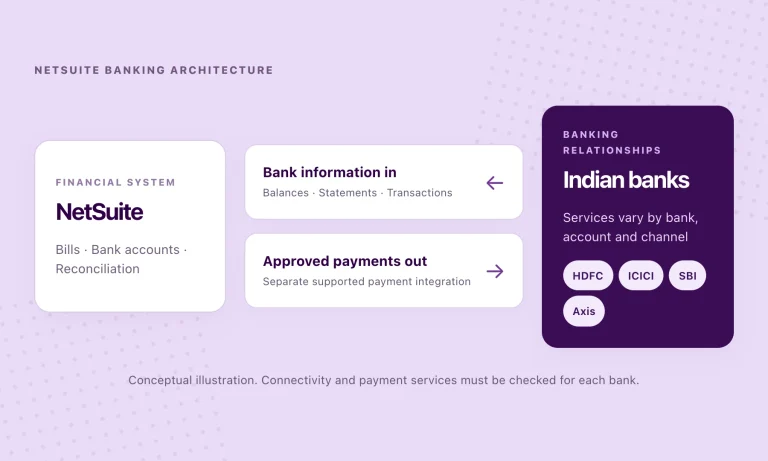
Not always. Account eligibility, permissions, supported payment types and reporting can vary. OPEN can help confirm what each bank connection supports.
What if we already use SAP MBC or host-to-host?
You do not need to replace working connections. Evaluate where a shared API layer makes integration or day-to-day operations simpler.
Is there an out-of-the-box connector for SAP S/4HANA?
OPEN publishes a SAP Business One add-on. S/4HANA and ECC need a separately scoped integration approach; the Business One add-on should not be assumed to work for them.
Want the technical background? Read SAP Multi-Bank Connectivity in India: where the ERP ends and banking begins for the deeper comparison of SAP MBC, host-to-host and API-led connectivity.
Find out how OPEN could connect your banks to SAP.
Share your SAP environment, the banks involved and the workflows you want to connect. We’ll assess supported services, the approvals required and a practical starting point for your integration.
Product & technical references
- OPEN Connected Banking — bank coverage and service overview
- OPEN for SAP Business One — published add-on capabilities
- SAP Multi-Bank Connectivity in India — educational architecture guide