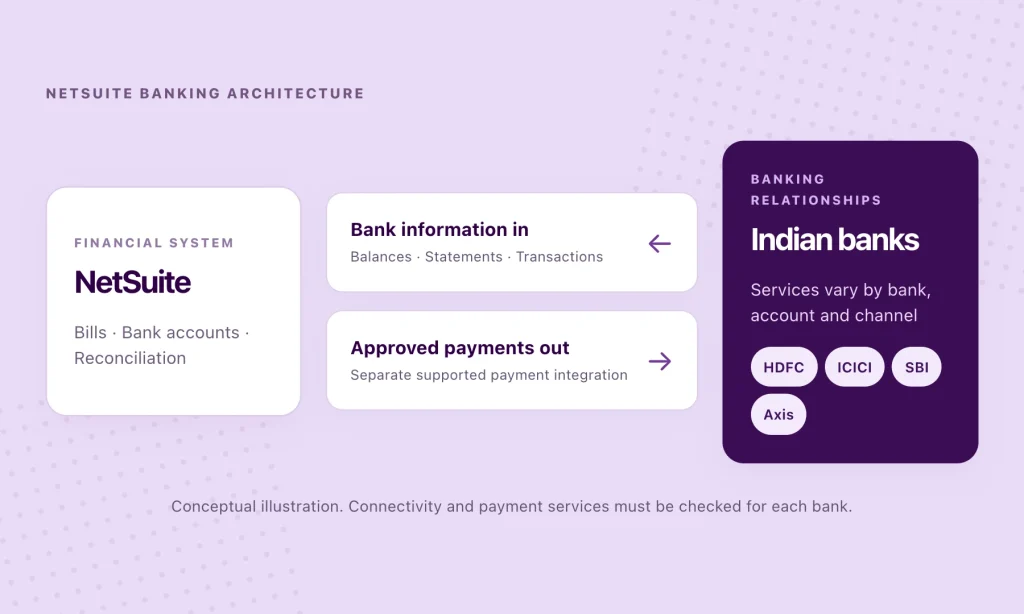
NetSuite can match and reconcile bank transactions once the relevant data reaches the ERP. Getting that data into NetSuite—and connecting approved payments back to the banks—is a different part of the problem.
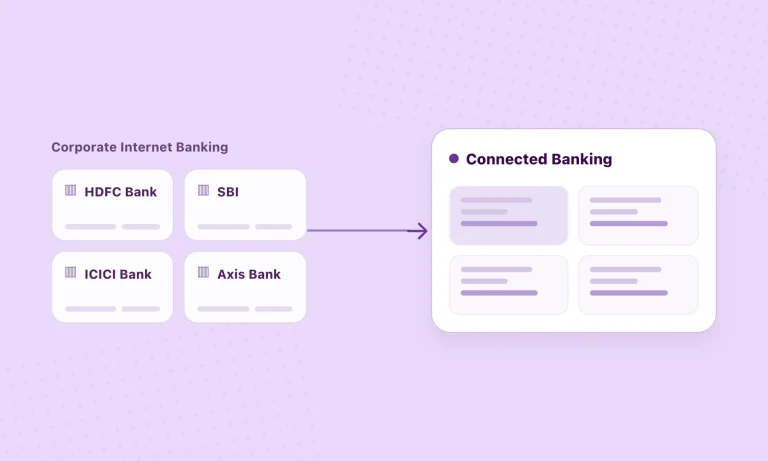
For an Indian enterprise with accounts across HDFC Bank, ICICI Bank, SBI, Axis Bank and other institutions, that distinction matters. Finance teams may have a well-configured ERP and still rely on separate arrangements to retrieve statements, confirm payments or establish an up-to-date cash position across entities.
NetSuite already offers several banking tools, including Bank Feeds, automated statement imports and electronic payment-file generation. The question is how those capabilities connect to the particular banks and workflows a business uses in India.
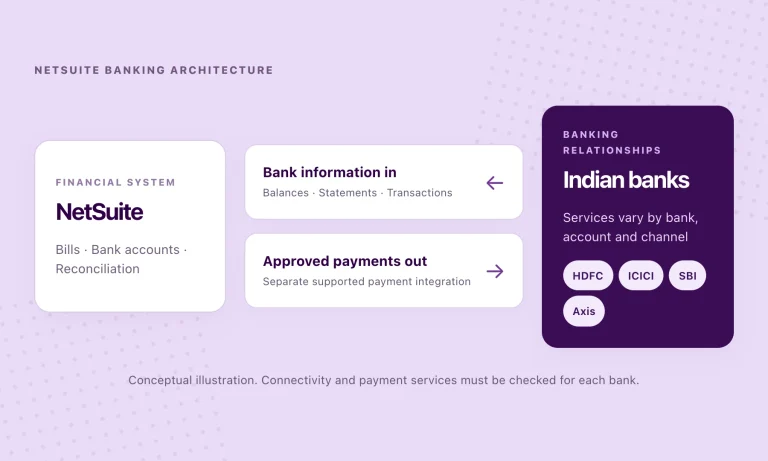
The central distinction: NetSuite’s bank matching and reconciliation capabilities are not the same as bank connectivity. A successful design must account for data coming into NetSuite and payment instructions going out.
What NetSuite Bank Feeds actually does
NetSuite Bank Feeds is a managed SuiteApp that retrieves bank and credit-card data from supported financial institutions and imports it into NetSuite. It can bring in transactions and account balances automatically on a daily schedule, with an option to request an on-demand update where supported.
That removes a common source of manual work: downloading bank statements, preparing import files and making sure each account’s transactions reach the ERP. Once the data is in NetSuite, the Match Bank Data workflow can suggest matches with existing accounting transactions, while finance teams review exceptions and reconcile the account statement.
Oracle’s NetSuite Bank Feeds overview describes the value in terms of cash visibility, transaction matching and reduced reconciliation effort. Those are meaningful benefits, particularly for organisations operating several bank accounts.
But Bank Feeds is primarily an inbound bank-data connection. It should not be confused with an outbound payment-execution service. A business that can import statements may still need a separate way to send approved vendor payments to its banks and receive the relevant outcomes.
Does NetSuite Bank Feeds support Indian banks?
This is where the global product description and a specific Indian deployment need to be distinguished.
NetSuite’s Bank Feeds material describes broad international financial-institution connectivity. However, Oracle’s current Bank Feeds SuiteApp limitations list supported countries in North America, Europe, New Zealand and selected Southeast Asian markets. India is not on that standard supported-country list.
That does not mean an Indian business cannot connect its banks to NetSuite. Nor does it mean NetSuite’s reconciliation capabilities are unavailable in India. It means the built-in Bank Feeds route should not be assumed to cover Indian corporate accounts without checking Oracle’s current support matrix and the bank concerned.
Oracle itself identifies alternative methods for financial institutions outside the supported Bank Feeds coverage: automated statement-file imports and custom financial-institution connectivity plug-ins. For an Indian finance or NetSuite project team, the right starting question is therefore not simply “Does NetSuite have bank feeds?” but “Which connection method supports our actual banks, accounts and required services?”
The ways an Indian enterprise can connect banks to NetSuite
1. NetSuite Bank Feeds, where the bank and country are supported
For an eligible institution, the managed SuiteApp automates regular transaction and balance imports. It is well suited to a supported account that primarily needs timely bank data for accounting and reconciliation. Its standard automated import schedule is daily rather than a continuously streaming feed.
2. Auto Bank Statement Import over SFTP
NetSuite’s Auto Bank Statement Import (ABSI) SuiteApp retrieves statement files from a bank’s SFTP location. Together with bank-statement parsers, it can process formats such as MT940, camt.053 and BAI2, subject to the bank’s output and the parser configuration.
This can be a sensible choice when a bank has an established host-to-host file arrangement, especially if the arrangement is reliable and already part of the enterprise’s treasury operations. Its trade-off is the bank-specific setup, file delivery and ongoing monitoring required.
3. Custom financial-institution connectivity
NetSuite provides a Financial Institution Connectivity Plug-in interface for custom integrations. A development team or implementation partner can use it to retrieve data from a bank or a provider that the standard SuiteApp does not cover, with an appropriate parser and format profile.
This offers flexibility, but it also introduces decisions about authentication, mapping, error handling, support responsibility and what happens when a bank changes its interface.
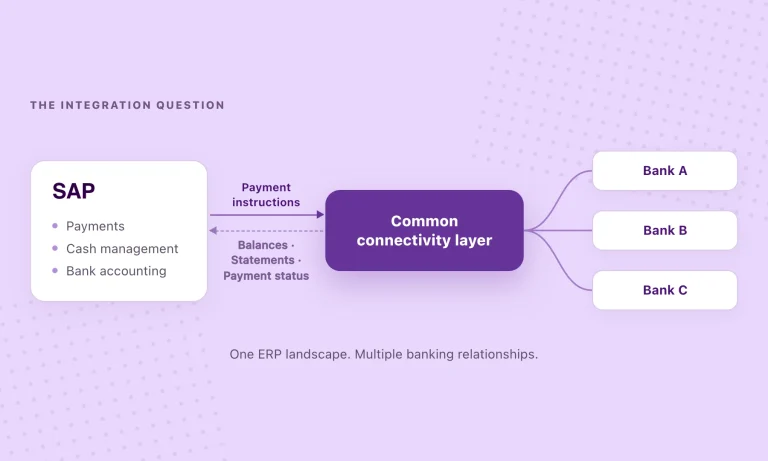
4. A specialist multi-bank connectivity layer
A provider that maintains connections with multiple banks can expose supported balances, statements and payment services through a reusable integration. Rather than treating every bank as a separate project, the enterprise can evaluate one connectivity layer for the banks and services it needs.
The advantage is not that an API automatically makes every workflow available. It is that some of the bank-specific work can be handled outside the ERP integration, provided the required bank, account type and service are supported.
Bank data coming in is only half the workflow
A finance team usually needs more than electronic statements. It also needs to originate or approve payments, understand whether those instructions reached the bank and reconcile what ultimately appeared on the statement.
NetSuite has an Electronic Bank Payments SuiteApp that can generate payment files from eligible transactions. Oracle is explicit that the SuiteApp generates files; it does not, by itself, transmit those files to banks. Delivery requires an appropriate channel or additional integration, such as a supported SFTP process.
This separation explains why a business can have sophisticated payment approvals and reconciliation rules inside NetSuite while still relying on external bank portals or middleware for payment execution and bank confirmation.
An illustrative NetSuite-to-bank workflow
The flow below deliberately separates outbound payments from inbound data. Actual steps, messages and status updates depend on the chosen integration and each bank’s capabilities.
| Workflow | Step 1 | Step 2 | Step 3 | Step 4 |
|---|---|---|---|---|
| 01 · Payments out → | NetSuite Vendor bill and payment approval | Payment integration Supported SuiteApp or transmission channel | Bank Receives and processes instruction | NetSuite Available outcome or settlement reference |
| 02 · Bank information in ← | Bank Balance and transaction information | Connectivity layer Bank Feeds / SFTP / provider integration | NetSuite Imported bank lines and GL mapping | Match & reconcile Matching suggestions, exceptions, statement reconciliation |
An acknowledgement is not necessarily proof of settlement. Bank-acceptance, processing status and the booked transaction can be different events. When evaluating a provider, ask which of these updates is actually available for each bank.
Why subsidiary and account mapping matter in NetSuite
For groups using NetSuite OneWorld, there is another layer to the design. NetSuite associates bank accounts with a specific subsidiary, while the transaction data imported from a bank must be mapped to the correct NetSuite account and currency.
A consolidated cash view across the group is useful, but it does not remove subsidiary-level controls or change the underlying accounting ownership of an account. Multiple banks, legal entities and currencies therefore require deliberate mapping—not merely a connection that retrieves a list of balances.
This becomes especially important when a business adds a new subsidiary, changes its banking arrangements or introduces a new payment-approval process after the initial ERP implementation.
How the connectivity options compare
These approaches are not necessarily competing systems. An enterprise may retain proven SFTP connections for some banks while using a provider integration for others.
| Approach | What it primarily brings into NetSuite | Payment execution | Main consideration |
|---|---|---|---|
| Standard Bank Feeds | Scheduled balance and transaction imports from supported institutions | Not the purpose of Bank Feeds | Bank/country eligibility and import timing |
| ABSI / SFTP | Statement files from a bank’s secure file location | Separate payment transmission setup may be required | Bank-specific file arrangements and parsers |
| Custom connectivity plug-in | Data supported by the custom bank/provider connection | Depends on separately designed workflows | Development, security, mapping and maintenance |
| Multi-bank provider with NetSuite integration | Supported balances and statement data from connected banks | May support sending approved payments, subject to the provider and bank | Actual bank-service coverage, approvals and ERP integration scope |
Where OPEN fits in a NetSuite banking architecture
OPEN offers a NetSuite SuiteApp designed to bring supported banking workflows into the ERP. Its published description covers three parts of the process:
- Balances and statements: data from connected bank accounts reaches NetSuite, ready for the finance team to review and reconcile.
- Payments and settlement references: approved payments can be sent through OPEN, with settled-payment information posted back with the bank reference where supported by the integration.
- Monitoring: teams can see synchronisation status, investigate failures and retry supported sync operations.
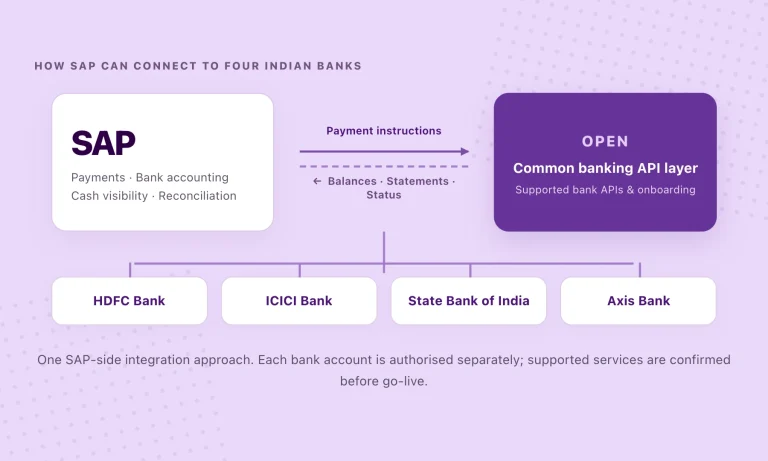
OPEN’s wider multi-bank connectivity platform covers 40+ Indian banks, including HDFC Bank, ICICI Bank, SBI and Axis Bank. Coverage of a bank does not mean every banking service is available for every account. Read access, payment initiation, authorisations, transaction updates and onboarding need to be checked against the enterprise’s actual requirements.
The division of responsibility remains important: NetSuite manages the accounting, matching and reconciliation workflows; OPEN supplies supported bank connectivity and related payment services. The business keeps its existing ERP and bank accounts, while integration setup and bank authorisation are handled as part of the implementation.
What should a finance leader or NetSuite partner check before implementation?
A useful assessment starts with the bank and the workflow, not the number of logos on a coverage page.
- Banks, entities and accounts. List every bank account, legal entity, currency and corresponding NetSuite GL account. For OneWorld, confirm subsidiary ownership.
- The services you actually need. Separate balances, statement frequency, historical data, payment initiation, acknowledgements, booked transactions and status updates.
- Your existing arrangements. Identify working Bank Feeds, SFTP, manual or custom connections. A new solution should not require replacing interfaces that already meet the business requirement.
- Approvals and bank authorisation. Confirm who approves payments in NetSuite, which additional bank permissions are required and how access is controlled.
- Accounting and exceptions. Test account mapping, duplicate handling, bank references, matching suggestions and failure recovery before rolling out widely.
A practical pilot could begin with two banks, a limited set of accounts and one payment-and-statement workflow. The point is to establish a dependable operating process before expanding coverage—not to promise that every bank behaves identically.
The question to ask is no longer whether NetSuite can reconcile bank data
It can. The more consequential question for an Indian enterprise is how bank information, approved payments and transaction outcomes move between the ERP and its banking partners.
NetSuite’s existing capabilities provide the accounting foundation. The connectivity decision determines how consistently that foundation receives the data it needs, and how easily the banking layer can accommodate another bank, subsidiary or payment requirement.
For enterprises and implementation partners, the strongest approach is the one that respects what NetSuite already does well while making external bank connections easier to operate over time.
Exploring bank connectivity for NetSuite? Review OPEN for NetSuite and assess which banking services are supported for your accounts and workflows.
Connect your banking workflows to NetSuite
See how OPEN supports balances, statements and approved payment workflows for connected Indian banks. Confirm the banks and services relevant to your setup before choosing an integration approach.
Frequently asked questions
Does NetSuite Bank Feeds support banks in India?
Oracle’s current Bank Feeds SuiteApp supported-country list does not include India. That does not rule out NetSuite bank connectivity in India: businesses can evaluate Auto Bank Statement Import, custom plug-ins and third-party provider integrations. Always verify the current Oracle documentation and the individual bank arrangement.
Can NetSuite automatically import bank statements?
Yes. Depending on the bank and configuration, NetSuite can import bank data through Bank Feeds, automated SFTP statement imports, custom financial-institution integrations or supported third-party connections.
Can NetSuite send payments directly to banks?
NetSuite’s Electronic Bank Payments SuiteApp generates payment files, but does not transmit them by itself. Sending instructions to a bank requires a transmission arrangement or supported payment integration. OPEN’s NetSuite SuiteApp is one published option for sending approved payments through its supported bank connections.
Does connecting a bank automatically reconcile the account?
No. NetSuite can suggest matches and apply configured rules after data is imported, but unmatched items and exceptions still need appropriate review. Bank connectivity supplies the information; reconciliation is an accounting workflow within NetSuite.
Does OPEN replace NetSuite Bank Feeds or existing SFTP integrations?
Not necessarily. It can be evaluated alongside existing arrangements, depending on the banks and services required. The objective is to connect the necessary banking workflows, not replace every existing integration.
Do we need to migrate our bank accounts or change ERP systems?
No bank-account migration or ERP replacement is inherent in this approach. The business retains its banks and NetSuite environment, while supported integrations, bank permissions, account mapping and testing are configured as required.