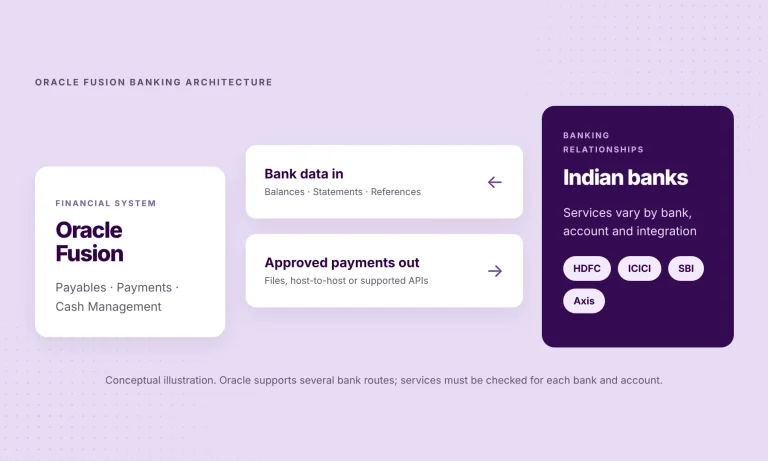
Your finance team may already run supplier payments and reconciliation in Oracle Fusion Cloud ERP. But if balances are checked in HDFC Bank and ICICI Bank portals, statements arrive separately from SBI, and payment updates from Axis Bank need another login, the ERP still depends on information collected outside it.
For a business managing several banks or legal entities, this is more than a daily inconvenience. The gap between an approved payment, the bank’s response and the eventual statement entry makes cash visibility and exception handling harder than they need to be.
The opportunity is an Oracle Fusion bank integration that connects banking information to the processes you already run in Oracle, without replacing Oracle or moving your accounts.
What would improve for your finance team?
- Clearer cash visibility. Retrieve balances and statements without collecting them from several separate portals.
- Connected payment workflows. Send payments approved in Oracle through the integration, where the account and payment service are enabled.
- Better follow-through. Bring settlement references back into the ERP so the team can investigate and reconcile transactions.
Oracle remains responsible for your financial workflows. The connectivity layer makes bank information and instructions available to them. That keeps the project focused on useful outcomes rather than another system to manage.
How do the four banks connect to Oracle Fusion?
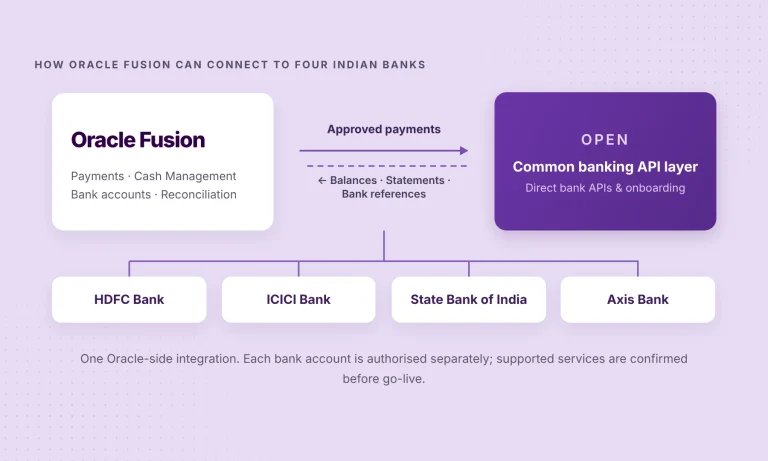
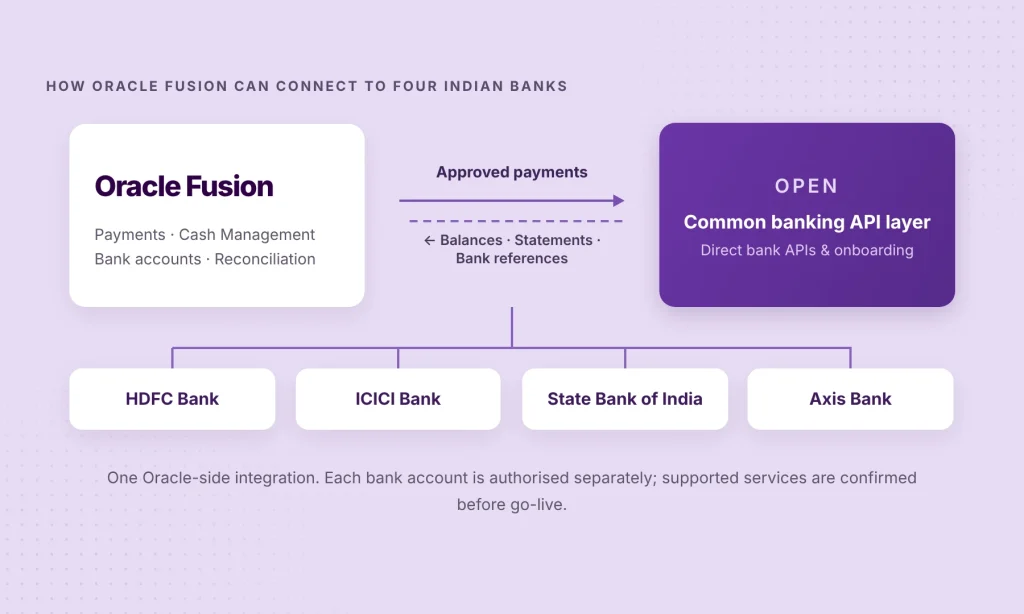
OPEN offers an Oracle Fusion Cloud ERP integration and lists direct API connectivity with HDFC Bank, ICICI Bank, SBI and Axis Bank. The same integration architecture can be used across those banks, although onboarding and service availability remain bank- and account-specific.
The process has four steps.
01 · Map the accounts to the right Oracle structure
Start with the actual bank-account list. Record the bank, account type, legal entity, business unit, currency and the Oracle processes that use it. Identify which accounts are used for collections, supplier disbursements or both.
This prevents a technically successful connection that sends data to the wrong account or business unit in Oracle.
02 · Confirm services and authorise the bank connections
Decide which accounts need balance and statement access and which should support payment initiation. OPEN uses the banks’ corporate API programmes, but the enterprise still needs the right bank permissions and authorised-signatory approval.
Don’t assume the four banks have identical onboarding timelines, payment permissions or status reporting. Confirm those details before committing to a rollout date.
03 · Configure the Oracle Fusion bank integration
OPEN’s integration page describes bringing in balances and statement lines, sending payments approved in Oracle and posting settled payments back with their bank reference. The project team should agree the exact Oracle interfaces, account mapping, approval boundaries, sync frequency and monitoring approach.
Oracle Payments and Cash Management stay in place. OPEN is the banking connectivity layer for the services confirmed in the project scope.
04 · Test the payment-to-statement cycle
Begin with a controlled pilot. Check that the correct bank account is visible, that a statement arrives in the expected Oracle context, and that an authorised payment follows the agreed approval route. Then check what happens when a bank rejects an instruction, and whether the resulting statement entry can be matched correctly.
A submitted payment is not necessarily a settled payment. The pilot should establish which statuses and final references are available for each bank.
HDFC, ICICI, SBI and Axis Bank: what should you validate?
| Bank | Connection to review | Important implementation check |
|---|---|---|
| HDFC Bank | Existing authorised account and required services | Balance and statement coverage, payment permissions and onboarding steps |
| ICICI Bank | Current account and bank-approved integration access | Account authorisation, payment types and statement identifiers |
| State Bank of India | Current account and required reporting | Supported data frequency, approvals and responses |
| Axis Bank | Current account and relevant payment workflows | Account permissions, onboarding and bank transaction references |
What if you already have bank integrations in Oracle?
You may not need to replace them. If an established host-to-host channel serves one bank reliably, keep it in the evaluation. A common banking API layer becomes attractive when a company wants to connect more banks, bring consistent information into Oracle or reduce the upkeep of separate bank-specific interfaces.
The decision is about which parts of the workflow can be simplified, not about changing technology for its own sake.
Find out what connecting your four banks to Oracle Fusion would involve.
Tell us your Oracle environment, banks and priority workflows. We’ll help establish what can be supported, the authorisations involved and a sensible scope for a pilot.
What should the first pilot demonstrate?
A useful first pilot answers five questions:
- Account mapping. Can the chosen bank account be authorised and mapped to the correct Oracle legal entity or business unit?
- Statement delivery. Do balances and statement lines reach the right Oracle workflow, with the required identifiers?
- Payment controls. Can a properly authorised payment be sent through the agreed route where payment access is supported?
- Payment visibility. Can the team tell bank acknowledgement, processing status and settled-payment evidence apart?
- Reconciliation. Can Oracle reconcile the resulting statement transaction, or show a clear exception when it can’t?
Once this works for a representative account, the team can scope more banks and entities with greater confidence.
Questions enterprise teams usually ask
Do we need to move bank accounts or replace Oracle Fusion?
No. The accounts stay with their banks and Oracle remains the ERP. The project is about connectivity and how banking information moves into your existing finance workflows.
Do the same features work across all four banks?
Not necessarily. Account eligibility, read permissions, payment access, supported rails and status information need confirming for each account.
Does OPEN handle reconciliation instead of Oracle?
No. OPEN supplies bank connectivity and integration data. Oracle Cash Management performs matching and reconciliation through the rules and processes configured in the ERP.
Do we need to rebuild existing host-to-host connections?
Not automatically. Scope the existing connections first and identify where a shared API layer improves bank coverage or ongoing maintenance.
Want the technical background? Read Oracle Fusion Cloud ERP Bank Connectivity in India: Payments, Statements and Reconciliation for the deeper comparison of bank files, Oracle embedded banking, custom integrations and a common API layer.
Find out how OPEN could connect your banks to Oracle Fusion.
Share your Oracle environment, the banks involved and the workflows you want to connect. We’ll assess supported services, the approvals required and a practical starting point for your integration.
Product & technical references
- OPEN Connected Banking — bank coverage and service overview
- OPEN for Oracle Fusion Cloud ERP — integration capabilities
- Oracle Fusion Cloud ERP Bank Connectivity in India — educational architecture guide
- Oracle: How electronic bank statements are processed — supported statement formats
- Oracle: How disbursements are processed — payment process requests and transmission