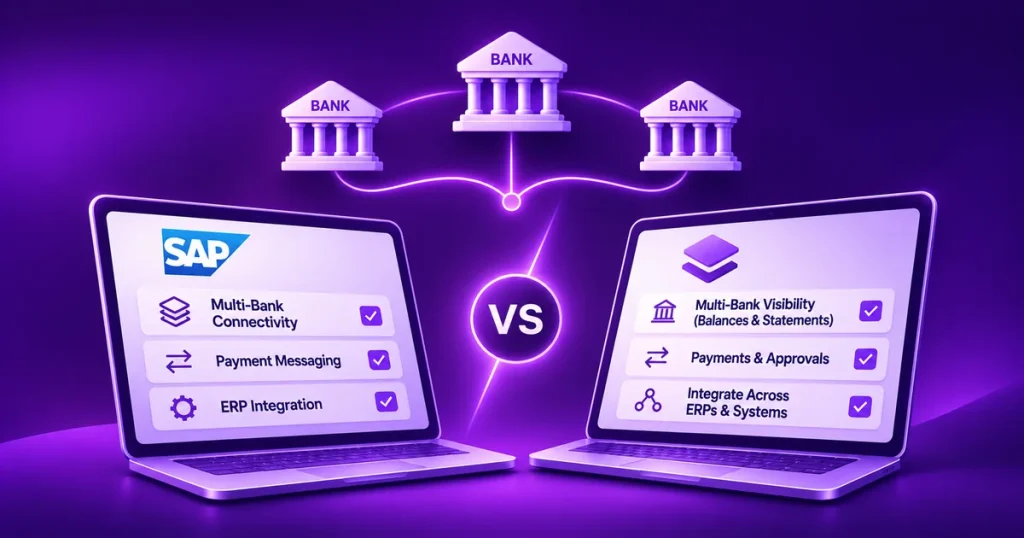
A manufacturing group runs 28 business bank accounts across HDFC Bank, ICICI Bank, SBI, Axis Bank and two other banks. Its treasury team uses SAP S/4HANA for payment runs and reporting. But some statements arrive through different channels, payment-status questions take time to investigate, and adding a new bank means another implementation discussion.
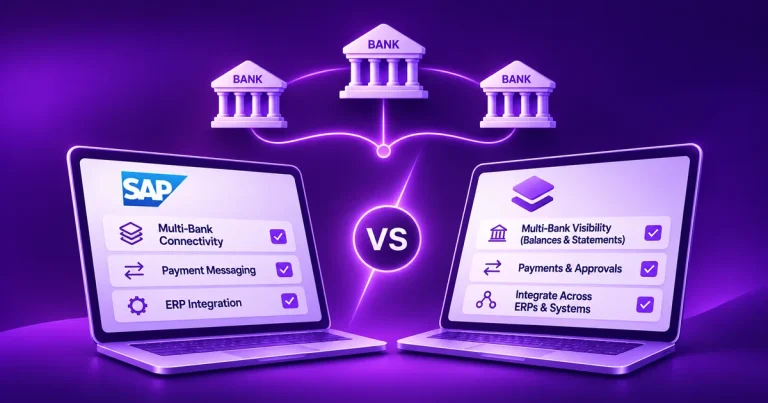
The CFO is weighing SAP Multi-Bank Connectivity against independent bank connectivity platforms. The question isn’t whether SAP can communicate with multiple banks. It can. The useful question is which approach will cover this company’s actual Indian bank accounts, payment processes and SAP environment with the least unnecessary work over time.
SAP Multi-Bank Connectivity (SAP MBC) is an SAP-managed service for exchanging financial messages between enterprise systems and banks. Independent connectivity providers, including OPEN, take a different approach: they maintain their own bank connections and make banking services available through their platform or APIs. The two overlap, and an enterprise may use both.
This is a buying guide, not an installation manual. Bank coverage, approvals, message support and commercial terms need confirming for your accounts and implementation.
At a glance
- SAP MBC is a real multi-bank service: it’s SAP’s managed bank-communication network, not a single-bank portal.
- Compare the actual services: bank connectivity, balances, statements, payments, status messages and ERP integration are separate questions.
- Choose the scope you need: SAP MBC may already suit an SAP-centric operation, while an independent layer can help with cross-bank visibility or several finance systems.
What are SAP Multi-Bank Connectivity and independent connectivity platforms?
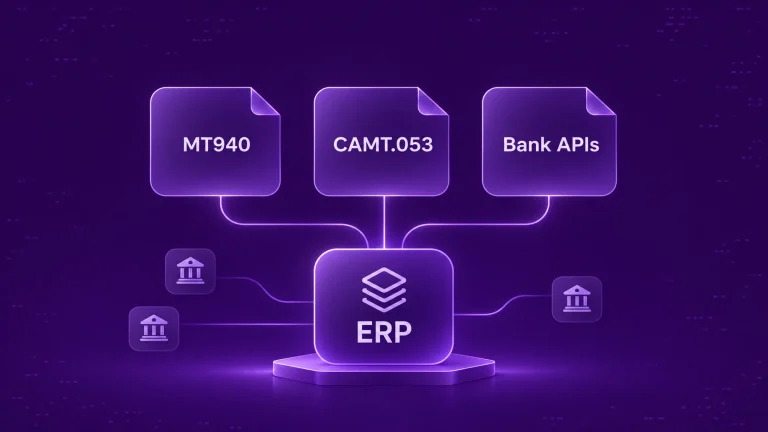
SAP Multi-Bank Connectivity is a managed service delivered through SAP Business Technology Platform. It connects SAP ERP environments to banks and financial institutions, sending payment instructions and receiving messages such as payment statuses and bank statements. SAP describes native integration with SAP ERP and SAP S/4HANA, and bank connections through Swift, EBICS, host-to-host and bank APIs. Banks can join as members, and non-member banks can still be connected through routes such as host-to-host or EBICS.
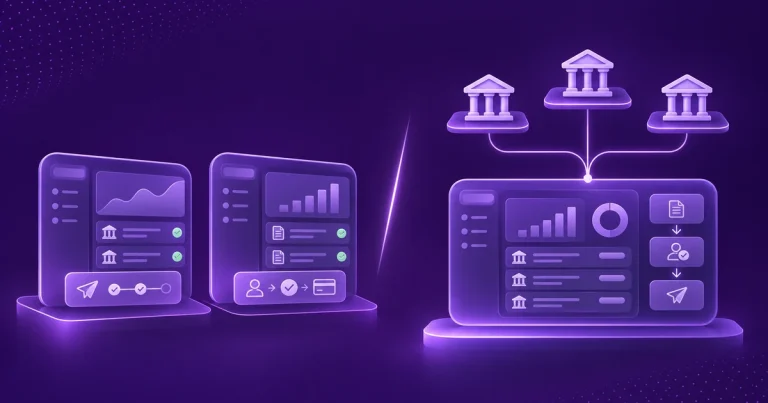
An independent bank connectivity platform sits between a company’s finance systems and its banks. Instead of the company building every bank interface, the provider maintains its integrations and exposes services such as balances, statements and payment initiation to an ERP, a finance dashboard or another application. Some providers focus on files and messages; others offer APIs and bank-authorised account workflows.
Neither model replaces the ERP’s accounting logic. SAP still runs payment runs, approvals, posting and reconciliation rules. And neither model guarantees that every bank account offers every service: an available connection isn’t the same as confirmed balance, statement and payment coverage.
Don’t confuse SAP MBC with SAP Bank Communication Management (BCM). BCM handles payment approval and monitoring inside SAP; MBC is the bank-communication service. They can sit in the same design but solve different parts of it. For a detailed look at SAP MBC’s architecture, see our SAP Multi-Bank Connectivity guide for India.
SAP MBC vs independent platforms: what should finance compare?
The table compares two delivery models, not vendors. For a real evaluation, swap general product claims for your bank list, ERP edition and required services.
| Evaluation area | SAP Multi-Bank Connectivity | Independent bank connectivity platform | What to verify |
|---|---|---|---|
| Core model | SAP-managed bank communication network | Provider-managed bank connections and an integration or API layer | Who owns the connection, support and monitoring? |
| SAP fit | Native integration with SAP ERP and SAP S/4HANA | Depends on the provider and SAP product; adapters or custom integration may be needed | S/4HANA Public or Private Cloud, SAP ERP or SAP Business One? |
| Bank channels | Swift, EBICS, host-to-host and bank APIs | Often API-led, depending on the provider and bank | Which method is live for each bank? |
| Payments and status | Exchanges payment instructions, acknowledgements and status messages where configured | May initiate payments and return statuses for connected accounts | What counts as submitted, accepted, processed and settled? |
| Statements and balances | Receives bank statements and feeds cash-position processes in SAP | May offer statement and balance APIs or a consolidated dashboard | Are current balances available, and how often? |
| New-bank onboarding | Coordination between SAP, the enterprise and the bank, depending on the route | May reuse an existing connection where the provider already covers the bank; bank authorisation still applies | How many steps, and which owners, for bank number six? |
| Multi-system use | SAP-centric; other systems depend on your architecture | Can serve several ERPs, dashboards and internal applications through APIs | Does the business run systems beyond SAP? |
| Pricing and operations | SAP commercial terms, onboarding, bank arrangements, implementation and support | Provider subscription, account or service fees, implementation, bank charges and support | What’s the three-year cost for the same scope? |
The difference isn’t “SAP uses files, independent providers use APIs”. SAP MBC supports several channels, including bank APIs. And an API layer doesn’t remove the bank’s authorisation, control or testing requirements.
When SAP Multi-Bank Connectivity is the sensible choice
1. SAP is already the centre of payments and treasury
If you run SAP S/4HANA, have standardised payment formats and want payment instructions, status messages and statements exchanged through a service built into SAP, MBC deserves serious consideration. That’s exactly the work SAP designed it for.
In an SAP-first environment, the team may prefer a managed network that fits its existing SAP configuration, operations, audit requirements and implementation partner. Evaluate both the bank connection and the SAP processes that consume incoming messages.
2. Your banks and services have a workable onboarding route
Because SAP offers both member and non-member bank options, it’s wrong to say SAP MBC only works with a fixed list of partner banks. The practical question is which connection method can be set up for each bank, and which services the bank will deliver through it.
For each account, ask whether the bank can send the electronic statements, payment-status messages and acknowledgements you need, and whether your SAP system can process those formats. One type of message doesn’t cover every banking need.
3. Your existing SAP integrations work well
If you already run reliable SAP MBC connections, switching just because another provider advertises more banks can add cost and risk without solving a problem. Check whether the current setup meets your service levels, and whether a targeted extra integration would make more sense than a wholesale change.
When an independent connectivity layer deserves evaluation
1. You need more than message delivery
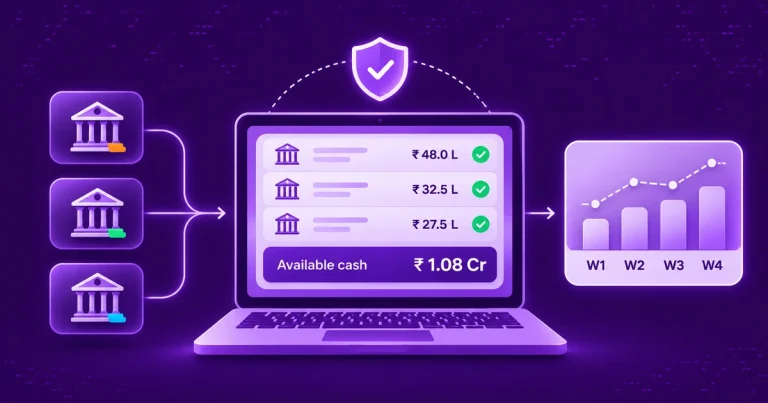
The controller may want an on-demand balance view across HDFC Bank, ICICI Bank, SBI and Axis Bank, grouped by legal entity, with the last refresh time visible. That’s a different requirement from receiving a scheduled bank statement in SAP. SAP may support cash-position processes too, so test your full current design rather than assuming it can’t.
Where a specialist provider offers live balances and a consolidated view, it can cut the effort of collecting those numbers across banks. The test is whether your exact accounts and refresh expectations are covered, not the size of a bank-logo grid. Our multi-bank cash visibility guide explains what to look for.
2. You run more than one finance system
Many groups use SAP for some entities and another ERP or accounting platform elsewhere, alongside procurement portals, approval apps or treasury dashboards. A reusable banking API layer lets several applications use the same bank connections instead of each building its own.
That doesn’t automatically make the independent option easier. Integration mapping, permissions and reconciliation hand-offs still need designing, and the provider should demonstrate support for each ERP edition you use.
3. Adding Indian bank accounts keeps creating work
Suppose a manufacturer is opening three more current accounts across two banks. Ask both approaches to show how those accounts become available for balances, statements and payments. A provider with an established connection may reuse technical components, but bank onboarding and entitlement checks still apply.
A useful commercial comparison is the effort to onboard the next account, not just the first. Who coordinates bank authorisation? Who maintains the ERP mapping? Who tests a rejected payment? Who owns a connection failure after go-live?
Managing accounts across several banks alongside SAP?
See how OPEN connects balances, statements and payment workflows across your existing Indian bank accounts.
Four situations that make the choice clearer
- One SAP S/4HANA estate with mature bank communication: payments and statements already flow reliably through SAP MBC. Keep it, and fix specific gaps rather than adding a second layer without a measurable benefit.
- SAP S/4HANA with several Indian banks and patchy account visibility: pilot balance and statement requirements on named accounts, and compare how each approach delivers values, refresh timestamps and usable data for treasury reporting.
- SAP Business One with multiple banks: don’t assume an MBC design built for SAP ERP or S/4HANA maps onto Business One. Evaluate a Business One-specific integration, such as OPEN’s SAP Business One add-on, on its own merits.
- A group with SAP and non-SAP systems: decide whether shared connectivity should serve several applications, or whether MBC should stay for SAP while another solution covers other accounts and workflows. Mixed setups are fine with clear ownership and reconciliation boundaries.
How to run a bank connectivity pilot before buying
A good pilot produces evidence, not a slide full of ticks. Start with two or three representative accounts across at least two banks, and include one account that usually causes trouble.
| Pilot question | Evidence to ask for |
|---|---|
| Can the actual bank account be onboarded? | Account eligibility, bank authorisation steps and named owners |
| Can finance see the information it needs? | Balance timestamp, statement coverage and missing-data behaviour |
| Can SAP transmit the payment instruction? | An example payment from the correct company code and house bank |
| Which approvals apply? | Maker-checker, bank-side confirmation and approval logs |
| What do payment statuses really mean? | Submitted, accepted, rejected and final confirmation mapped separately |
| What comes back to the ERP? | Statement lines, bank references and reconciliation-ready data |
| What happens during a failure? | A failed or delayed transaction, alerts, ownership and recovery steps |
| What happens when we add another bank? | Repeatable onboarding, configuration work and ongoing cost |
A good test follows one supplier payment from approved SAP data through bank transmission, status messages and the resulting bank statement, and includes a rejected payment too. Sending an instruction successfully doesn’t prove settlement, as our payment reconciliation guide explains. And a statement appearing in SAP doesn’t complete bank reconciliation.
For the technical side of the hand-off, see our corporate banking API integration guide and our guide to connecting HDFC Bank, ICICI Bank, SBI and Axis Bank to SAP.
Compare three-year cost, not just implementation fees
A bank connectivity decision creates ongoing responsibilities. A low integration quote can get expensive if every bank change needs custom work, and a comprehensive platform can be more than you need.
A fair comparison covers subscription or licence costs, bank fees, onboarding, SAP implementation work, security review, testing, training, monitoring, exception management and future bank additions. Count internal effort too: statement collection, portal switching, failed-payment investigation and reconciliation prep.
SAP describes MBC membership as a flat fee plus transaction-based charges, on top of implementation and bank arrangements. OPEN publishes its Connected Banking pricing, and an enterprise quote reflects the accounts and services you need. Don’t assume either is cheaper without a like-for-like proposal.
One useful exercise: define the same 28 accounts, the same banking services and the same transaction volume for both proposals. Ask who pays for new bank connections, format changes, extra legal entities and out-of-hours support. That gives finance and IT a decision they can evaluate together.
Where OPEN Connected Banking fits
OPEN is an API-led connectivity layer across 40+ Indian banks, including HDFC Bank, ICICI Bank, SBI and Axis Bank. It connects your existing business accounts, brings balances and statements into one view and sends payments with the right bank and company approvals. Services vary by bank and account. Where it fits depends on your SAP setup:
- SAP S/4HANA teams: keep SAP MBC for payment messaging where it works, and add OPEN for an on-demand, cross-bank view of balances and statements by entity. OPEN’s published integration directory lists an SAP Business One add-on, but no packaged S/4HANA add-on. Any S/4HANA integration through OPEN’s APIs should be scoped and demonstrated for your environment.
- SAP Business One: OPEN’s Business One add-on brings balances and statement lines into Business One, sends approved payments through OPEN and posts settled payments back with their bank reference.
- Groups with SAP and other ERPs: one connectivity layer can serve SAP Business One, NetSuite, Business Central, Oracle Fusion, TallyPrime and more, so each system doesn’t need its own bank integrations. See the full integration directory. The integration method and setup requirements depend on the ERP and its edition.
The useful questions for finance: can we keep our existing banks and accounting processes while cutting repeated bank-portal work? Will the accounts and services we need connect? Can approvals and bank status messages be handled without creating a second source of truth? SAP MBC remains a strong option where its managed-network model fits, and a hybrid setup often makes sense for some banks or systems. Explore OPEN Connected Banking for details.
Frequently asked questions
Does SAP already have multi-bank connectivity?
Yes. SAP Multi-Bank Connectivity is an SAP-managed service for exchanging financial messages between SAP ERP environments and banks. Whether it meets your needs depends on the banks, accounts, message types and SAP configuration in scope.
Is SAP Multi-Bank Connectivity limited to member banks?
No. SAP offers both member-bank and non-member-bank connections, through several technical channels. Each bank still needs onboarding and confirmation of the services it will provide.
Does SAP MBC support bank APIs, or only Swift and files?
SAP MBC supports bank APIs as well as Swift, EBICS and host-to-host connections. Which route applies depends on the bank and your implementation.
Can OPEN replace SAP Multi-Bank Connectivity?
It depends on your setup. For SAP Business One, OPEN’s add-on is a direct route to your banks. For SAP S/4HANA, OPEN more often works alongside MBC, adding cross-bank visibility, rather than replacing it. Run a pilot before treating the two as interchangeable.
Can OPEN connect SAP Business One to Indian banks?
Yes. OPEN’s SAP Business One add-on brings balances and statement lines into Business One and sends approved payments through your connected accounts. Services vary by bank and account, so test it in your own Business One environment.
What if our company uses SAP S/4HANA rather than SAP Business One?
SAP MBC has native SAP ERP and SAP S/4HANA integration. OPEN doesn’t offer a packaged S/4HANA add-on, so ask any independent provider to demonstrate its exact S/4HANA integration method and ownership.
Which option is cheaper for Indian enterprises?
There’s no universal answer. Compare like-for-like licences or subscriptions, bank fees, onboarding, integration changes, monitoring, support and internal effort over a set period, using the same accounts and services.
Choose based on the banking work, not the product label
SAP Multi-Bank Connectivity is a real multi-bank service with strong integration into SAP environments. Independent platforms aren’t automatically better because they offer APIs, and “multi-bank” never guarantees the same services at every bank.
Start by listing the accounts your business actually uses, the statements and payment services each one needs, and the systems your users work in. If SAP MBC already covers that, keep what works. If the remaining gap is cross-bank visibility, missing workflows or a wider mix of finance systems, test an independent connectivity layer against that specific gap.
Keep your SAP finance workflows. Connect the banks around them.
Start with the bank accounts and services your team needs, and see how OPEN can connect them.
Product sources and further reading
SAP’s Multi-Bank Connectivity product page describes the managed network and native ERP support. SAP Help covers the product overview and bank communication channels, member-bank connectivity and integration with SAP S/4HANA, and SAP Community has an MBC overview. For OPEN, see Connected Banking and the SAP Business One add-on. Features and banking arrangements change, so confirm the current scope before buying.