
A finance controller arrives on Monday morning with a straightforward question from the CFO: How much cash can we use today? It is exactly the question cash management software is meant to answer.
The company has twelve accounts spread across HDFC Bank, ICICI Bank, SBI, Axis Bank and YES BANK. A few are operating accounts. One supports payroll; another is linked to an overdraft facility. The latest balances sit in different bank portals, while the expected payments sit in the ERP. Before the controller can answer, someone needs to bring those numbers together—and check which balances are actually available to spend.
This is the point at which many businesses start looking for cash management software . But the phrase covers very different products. Some collect balances and statements. Others manage payments or forecasts. A full treasury management system may also handle funding, investments, foreign exchange and risk.
The better question is not Which tool has the most features? It is Which part of our cash-management process needs to work differently?
At a glance
- Start with the problem: bank visibility, payments, forecasting or broader treasury.
- Test the software against your actual banks, entities, ERP and approval workflows.
- Buy the scope you need now, with a clear path to extend it later.
What should cash management software help you do?
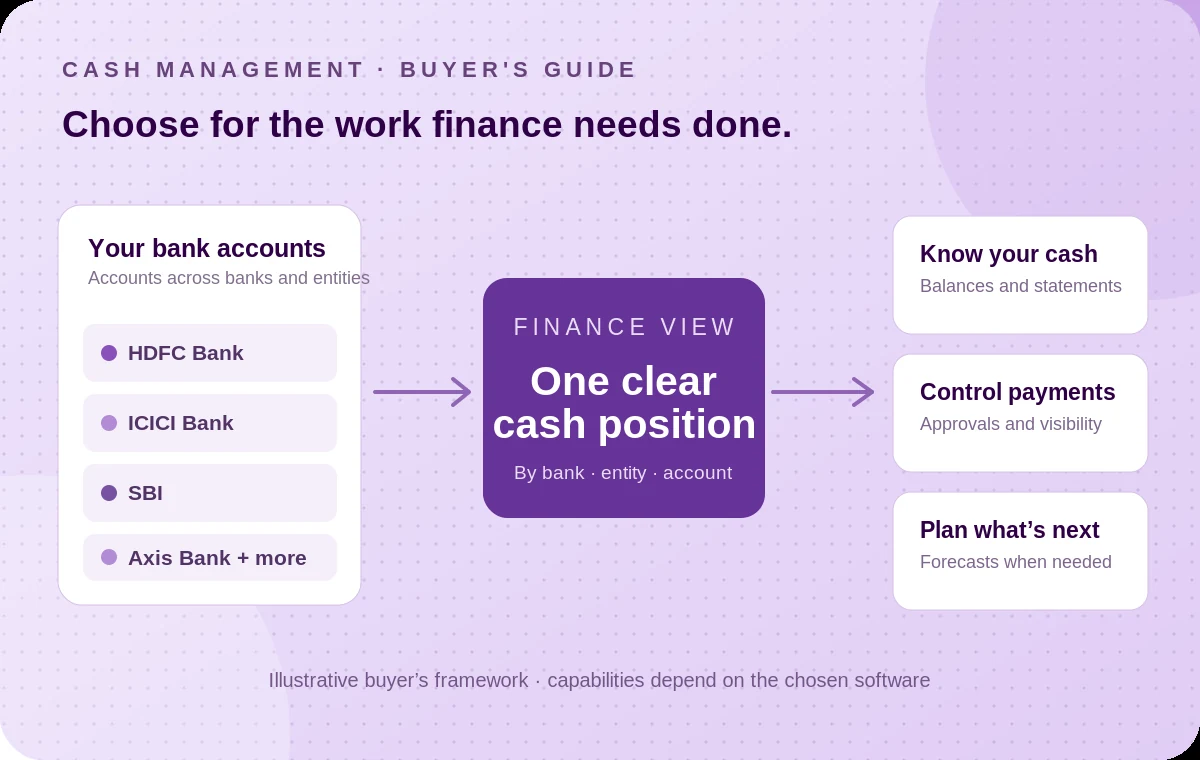
For a finance team, useful cash management starts with three questions: Where is the money? What can we safely use? What needs to happen next?
The first requires reliable account-level balances and transaction information. The second needs context: outstanding payments, credit lines, restricted balances and the legal entity that owns each account. The third involves payment approvals, bank instructions, statement imports and, where configured, ERP reconciliation.
A product may be excellent at one of these tasks without covering all three. That's why comparing cash-management platforms by their feature counts alone often leads to an expensive mismatch.
When does a spreadsheet stop being enough?
Spreadsheets are not inherently a bad system. A single-entity business with two bank accounts, predictable payments and a small finance team may be perfectly well served by a daily cash sheet.
The strain begins when the sheet becomes an operating process. One person logs into five portals, another updates expected payments and the CFO asks for a fresh position. Nobody is quite sure when the numbers were last checked. Add more entities and the question becomes more consequential. Cash in one subsidiary's account isn't automatically available to another, and a displayed balance isn't necessarily the same as money free for a supplier payment.
Look for a system when a significant amount of the team's day goes into collecting, checking and reworking cash information , rather than using it to make decisions. If the main difficulty is forecast accuracy or funding strategy, the answer may be different from a basic multi-bank dashboard.
Four types of cash management solutions—and how they differ
There isn't one universal definition of a cash management system. In India, the term can also describe bank-provided collections and payments services. When evaluating software, it helps to distinguish four broad categories.
| Approach | What it helps with | Where it can fall short | When to consider it |
|---|---|---|---|
| Bank portals and spreadsheets | Account-level banking, manual cash position and simple reporting | Consolidation and updates rely on people; controls vary across portals | Few accounts and low operational complexity |
| Multi-bank connectivity platform | Balances, statements and supported payment workflows across connected banks | Doesn't automatically replace advanced forecasting, treasury-risk or accounting functions | Several banks, entities or daily payment workflows |
| Cash-flow planning or forecasting tool | Expected receipts, payments, liquidity scenarios and forecasts | May still depend on another system for current bank data and payment execution | Forecast variance and planning are the main challenge |
| Treasury management system (TMS) | Broader treasury operations, potentially including liquidity, funding, investments, FX and risk | Greater implementation scope and cost; may be more than an operating finance team needs | Complex corporate treasury requirements |
These systems can work together. An enterprise might keep its ERP and treasury platform while using a connectivity layer to improve the bank information feeding both.
Eight capabilities worth testing before you buy
1. Coverage of the banks and accounts you actually hold
Ask for a bank-by-bank inventory—not a slide with logos. Can the product connect your operating, overdraft, escrow and deposit accounts where applicable? Does the provider support the particular balance, statement or payment service you need for each account? A provider's overall bank count is not a guarantee that every feature works at every bank.
2. A cash position you can trust, with visible timestamps
“Real time” needs a definition. Ask how each balance is obtained, when it was last refreshed and what happens when a bank is unavailable. A sound dashboard shows the last successful update and makes failures visible. For treasury decisions, an old number displayed beautifully is still an old number.
3. Clear separation between available and restricted cash
A useful position distinguishes entities, bank accounts and account purpose. It should help the team avoid adding together cash that has different restrictions or ownership. Overdraft limits, escrow balances and fixed deposits should not be treated as interchangeable operating funds. Ask how the system labels those differences and how your team reviews them.
4. Payment workflows with the right controls
If payments are part of your requirement, test beneficiary controls, approval levels, maker-checker responsibilities and the permissions granted by each bank. Check how the system distinguishes an instruction submitted to a bank from one rejected, processed or settled. A status message is only as useful as the stage it actually confirms.
5. Statements and transaction detail for reconciliation
A consolidated statement saves collection time, but it isn't the same as completed reconciliation. Ask whether transaction dates, descriptions, amounts and bank references arrive in a form your ERP can use. The ERP's matching rules—or another reconciliation tool—still need to match entries and surface exceptions.
6. A practical connection to your ERP or accounting system
A finance team already working in SAP, Oracle, NetSuite, Business Central or TallyPrime shouldn't have to duplicate everything in a new dashboard. Check for the correct connector or API approach for your product and version. Confirm the mapping, approval handoffs and what returns to the books after a payment is completed.
7. Forecasting that matches the level of planning you need
Current balances tell you where cash stands. Forecasting estimates what could happen next. If you need a rolling 13-week forecast or stress scenarios, ask how the tool combines bank actuals with expected receivables, payables, payroll and debt obligations. Do not assume that a live balance view automatically delivers a reliable forecast.
8. Implementation, access, support and total cost
Ask about onboarding effort, bank authorisations, security reviews, user permissions, audit logs, exceptions and ongoing support. Compare the full cost of a solution—including account coverage, integrations and implementation—with the amount of manual work and risk it is expected to reduce. The lowest subscription price isn't always the lowest operating cost.
Compare the products using your own finance day
A demonstration should start with your actual banking and approval patterns, not a generic dashboard.
Test one: the 9 a.m. cash position. Ask the vendor to show consolidated balances across representative banks and entities, then identify when each was last refreshed. Check whether restricted balances are separated and whether the report can be shared without recreating it in Excel.
Test two: an approved supplier payment. Take a payment approved in your ERP. Follow how the instruction reaches the selected bank, who authorises it, what response comes back and how the final statement entry becomes available for matching. Include an intentional rejection or missing response: the exception path matters as much as the successful path.
Test three: a new bank account. Ask what changes when you add another current account or subsidiary. Who completes bank authorisation, maps the account to the right entity, grants user access and confirms the workflow works? This is where implementation claims become measurable.
Try the cash position first. OPEN's free multi-bank cash position tool lets you enter accounts and see a consolidated view. It's a manual planning exercise, not a live bank connection—but it can help clarify how you want your finance view organised.
A simple evaluation scorecard for finance teams
Before asking for proposals, agree what must work on day one. A small list with evidence is more useful than a long vendor comparison full of checkmarks.
Give each area a weight from 1 to 5 before the demonstrations, based on how much it matters to your team. After each demonstration, score the vendor from 1 to 5 against the evidence shown, multiply by the weight and add up the totals. Mark any area that must work on day one: a vendor that fails a must-have is out, whatever its total.
| Evaluation area | Question to ask | Evidence to request | Weight (1–5) | Score (1–5) |
|---|---|---|---|---|
| Bank coverage | Are our actual banks and account types supported for the required services? | Bank-by-bank capability matrix | ||
| Cash visibility | Can we see the right entity, account and timestamp? | Test with representative accounts | ||
| Payments and controls | Can the correct people approve and track supported transactions? | End-to-end payment and exception demonstration | ||
| Accounting integration | How do statements and payment references reach our ERP? | Mapping and reconciliation walkthrough | ||
| Forecasting | Does the product cover our planning horizon and assumptions? | Forecast example using our input data | ||
| Delivery and cost | What must be configured, authorised, maintained and paid for? | Implementation plan, responsibilities and pricing |
If you need only consolidated bank visibility, a large treasury suite may be excessive. If you need intercompany liquidity structures, investment management, FX exposure and complex funding, a connectivity platform alone won't cover the whole requirement. Choosing the right category first will save more effort than choosing a vendor first.
Where OPEN Money fits into the decision
OPEN Money's Connected Banking platform provides a common layer for supported balances, statements and payment workflows across 40+ Indian banks . It can help finance teams bring information from existing accounts into a single view, with relevant user controls and integrations for supported ERP and accounting environments.
That makes it particularly relevant when the immediate problem is multi-bank visibility, statement collection or approved payments —and the business wants to keep its existing banks and finance systems. See OPEN's Connected Banking capabilities and ERP integration options .
OPEN also offers a Treasury module built on the same bank data, covering a live cash position, cash forecasting, and sweeps and fixed-deposit placement for idle funds.
It is important to be precise about the boundary. OPEN's connectivity layer is not, by itself, a substitute for every function of a full treasury management system. Bank reconciliation, financial reporting and complex treasury functions may continue to rely on the ERP or specialist tools. Available services also depend on the bank, account permissions and implementation.
That isn't a weakness in the evaluation. It is how you avoid buying the wrong scope.
See how your banks fit into one cash view.
Share the banks, entities and approval workflows you manage. We'll help establish which connected banking services are supported and what an initial rollout could look like.
Questions finance leaders often ask
Is cash management software the same as accounting software?
No. Accounting software records financial transactions and produces the books. Cash management software is concerned with bank positions, movement of funds and liquidity workflows. They should exchange information where useful, but they solve different parts of the process.
Is cash management software the same as a treasury management system?
Not always. A TMS usually covers a broader set of treasury functions such as funding, investments, exposures and policy management. Some cash management platforms focus more narrowly on bank visibility and payments. Evaluate features and implementation scope rather than the label.
Can it work with multiple Indian banks?
Depending on the provider, yes. OPEN supports connectivity across 40+ Indian banks, but the available functions must be verified for each bank and account. Bank authorisation is still required.
Will the software automatically reconcile all our transactions?
Not necessarily. Bank data can be delivered to the ERP or reconciliation system, but matching rules, exceptions and posting controls still need to be configured. Ask the vendor to demonstrate the complete workflow.
What should we include in the first pilot?
Choose a few representative accounts across at least two banks and test a current cash position, statement retrieval, permissions and one payment workflow if relevant. Include a failed or delayed response, then check what the finance team can actually see and do.
Choose the problem first. Then choose the software.
The best cash management software for your business isn't necessarily the product with the longest feature list. It is the one that removes a genuine bottleneck, fits the controls your finance team needs and works with the systems you already trust.
For some businesses, that means better forecasting or a full treasury platform. For others, it starts much closer to the bank: knowing what is available across accounts, moving approved payments with the right controls, and getting dependable transaction information back into the books.
Start by showing vendors your real bank and ERP setup. A useful first conversation should establish coverage, workflow fit and the smallest pilot that proves value.
Make your next cash decision with a clearer view.
Find out whether OPEN's multi-bank connectivity fits your banking, finance and ERP environment—or use the free tool to map the cash view you need.