A vendor invoice has been reviewed. The amount is correct, the purchase order has been matched and the finance head has approved the payment. But the payment is still pending.
The treasury team now needs to pick the right bank account, log in to that bank’s corporate portal, upload the payment details and complete another round of authorisation. If the company maintains accounts with several banks, the same process may have to be repeated in different systems. For businesses making hundreds of vendor payments a month, that’s a lot of avoidable work.
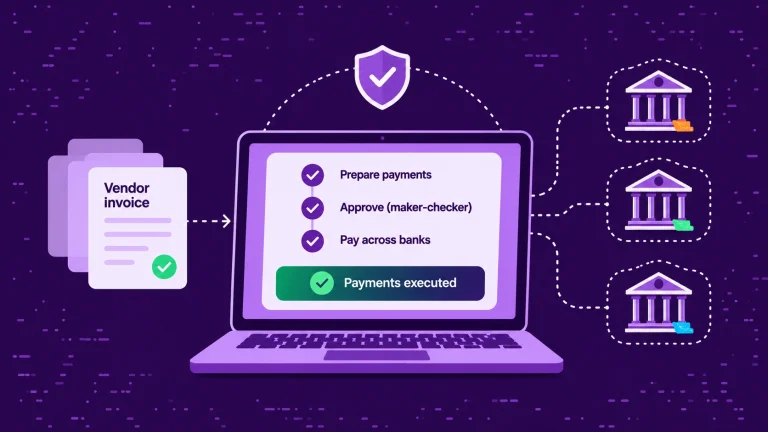
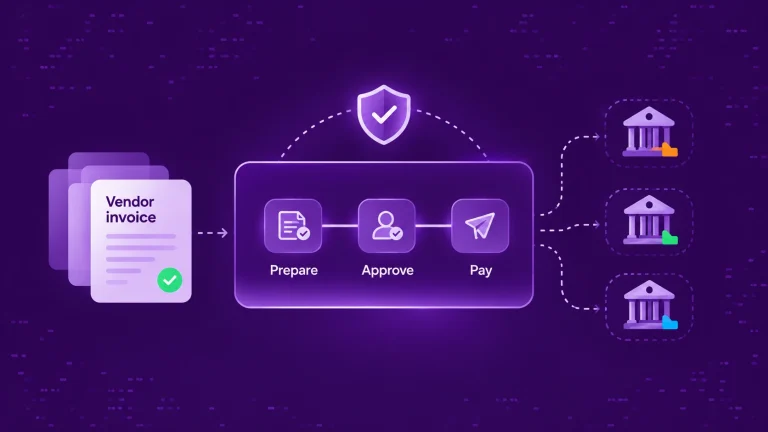
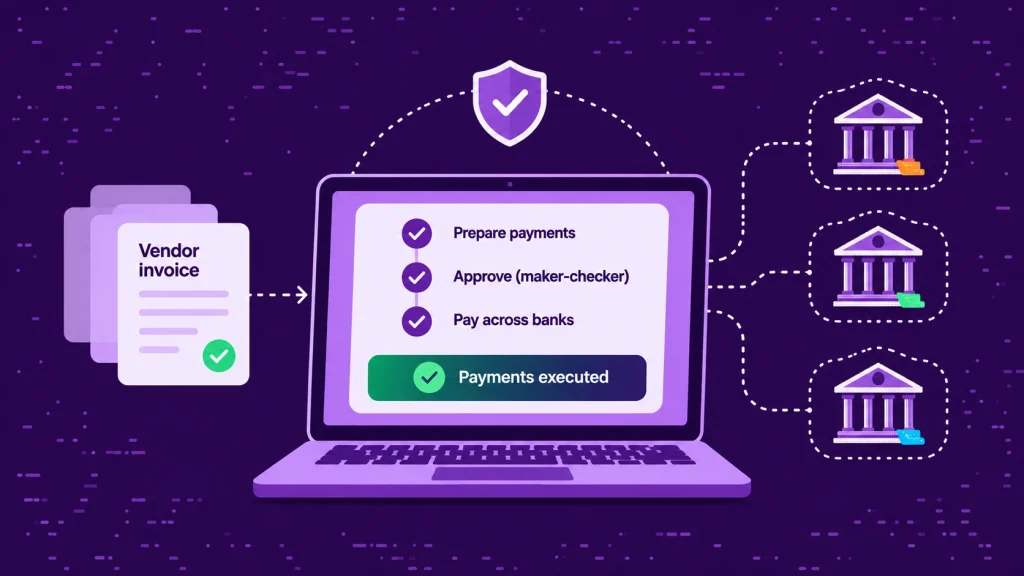
Vendor payment automation brings payment preparation, approvals, execution and tracking into one process, even when funds sit in accounts at different banks. The goal isn’t to remove financial controls. It’s to make those controls easier to follow without slowing payments down.
At a glance
- The bottleneck is the steps, not the volume: separate portals, files and approval rounds for each bank slow vendor payments down.
- One internal approval policy can cover supported connected bank accounts, while each bank’s own authorisation steps still apply.
- Initiated isn’t paid: track each payment’s bank outcome before marking the invoice paid in the ERP.
Why vendor payments become complicated across multiple banks
Consider an FMCG company operating across several Indian states. Raw material suppliers are paid from one bank account, logistics vendors from another, and regional operating expenses from accounts at different banks. The company may use a single ERP to manage vendor invoices, but payments are usually executed separately, through each bank’s corporate portal. That creates four problems.
1. Different banks, different payment processes
Each bank has its own upload formats, beneficiary management procedures, authorisation steps and status screens. A finance executive who knows one portal well may need to follow a different process when paying from another bank.
2. Approvals become fragmented
An invoice may already be approved in the ERP, but the payment still has to go through the company’s banking authorisation process. Without a coordinated workflow, teams rely on emails, spreadsheets or chat messages to work out which transactions are ready and who needs to approve them next.
3. Bulk payments mean repeated work
A company may need to pay 150 vendors on the same day. Instead of one payment run, the finance team splits the payments by bank account, prepares separate files, uploads them to different portals and monitors each one individually.
4. Tracking becomes difficult
After a payment is initiated, the team still needs to know whether it was processed, rejected, returned or is still pending. When that information is spread across several banking systems, even a simple “has my payment gone out?” query from a vendor takes time to answer.
So the problem isn’t simply the number of payments. It’s the number of disconnected steps needed to complete them.
What is vendor payment automation?
Vendor payment automation is the use of software to prepare, approve, initiate and track payments to suppliers and service providers with fewer manual steps. Depending on the system, it can cover:
- Identifying invoices that are approved and due for payment.
- Preparing individual or bulk payment instructions.
- Applying maker-checker and amount-based approval rules.
- Initiating payments through connected bank accounts.
- Retrieving payment status and transaction references such as the UTR.
- Updating ERP records and supporting reconciliation.
For a business working with several banks, the key capability is running all of this through one workflow instead of operating each bank portal on its own. Bank security checks don’t disappear: banks may still require their own authentication, beneficiary checks or final authorisation. Automation coordinates the process while keeping those controls in place.
One approval workflow across multiple banks: how it works
A centralised approval workflow sets one consistent process for reviewing and authorising payments, whichever connected bank account funds them. Here’s what that looks like in practice.
Step 1: Prepare the vendor payment
The accounts payable team identifies invoices ready for payment. These may come from the ERP, an AP automation system or a prepared payment file. Each instruction needs the vendor, beneficiary account, amount, payment reference and intended payment date.
Before anything is initiated, the team should confirm that the invoice is approved, the beneficiary account has been verified (for example, through a penny-drop or name check) and the payment hasn’t already been made.
Step 2: Select the paying bank account
Finance or treasury decides which company account should fund the payment. That may depend on the legal entity responsible for the invoice, available funds, treasury policy or an existing supplier arrangement. When balances from all connected banks are visible in one place, the team can make this call without logging in to each portal.
Step 3: Apply the approval policy
Once prepared, the payment follows the organisation’s approval rules. For example, a company might use this policy:
| Payment amount | Approval route |
|---|---|
| Up to ₹2 lakh | Maker → Checker |
| Above ₹2 lakh, up to ₹25 lakh | Maker → Checker → Finance Manager |
| Above ₹25 lakh | Maker → Checker → CFO |
A maker prepares the transaction and a checker independently verifies it. Further approvers can be added where policy requires them. If you’re drafting a policy from scratch, OPEN’s free payment approval matrix generator is a useful starting point.
The advantage of a centralised workflow is consistency: finance runs one defined approval process rather than separate internal rules for every bank portal.
Step 4: Initiate payments through the connected bank
After approval, payments can be initiated from supported connected accounts using NEFT, RTGS or IMPS. RTGS has a minimum transfer amount of ₹2 lakh, while the standard IMPS limit is ₹5 lakh per transaction. NEFT has no RBI-imposed maximum, although individual banks may set their own limits. The right payment method depends on the transaction amount, bank capabilities and the company’s requirements.
Where the bank supports bulk payments, multiple vendor instructions can go out as one batch instead of being entered individually. Some banks still require an extra authentication or confirmation step before release.
Step 5: Monitor payment status
Initiating a payment isn’t the same as completing it. Finance needs to see which payments have been submitted, which are processing, which have succeeded and which need attention.
When status and transaction references come back through the bank connection, it’s much easier to investigate failed payments, answer supplier queries and keep a record of payment activity. Our guide to payment reconciliation software explains how to track each payout from instruction to settlement.
Step 6: Update accounting records
Once payment outcomes are confirmed, the matching entries should be reflected in the ERP. Depending on the integration, payment references, statuses and bank transactions can support reconciliation against open vendor invoices.
This prevents a common problem: an invoice is marked paid internally, but the bank transaction hasn’t actually been confirmed.
Example: paying 200 vendors from five bank accounts
Imagine a manufacturer with three operating entities, five bank accounts and 200 vendor payments due on a Friday, covering production, transport, maintenance and general operations.
| Step | Separate bank portals | One payment workflow |
|---|---|---|
| Preparation | Five payment files, one per account, each in its bank’s format | One prepared payment run, with instructions assigned to eligible paying accounts |
| Approvals | Tracked over email, then repeated in each portal | One configured internal approval chain, applied by amount and entity |
| Release | Five separate logins and authorisation rounds | Initiated through supported bank connections, subject to any bank-side authorisation |
| Tracking | Status checked in five portals | Available payment statuses in one view, with bank-specific exceptions tracked separately |
| Vendor queries | Find the right portal, then search for the payment | Search available payment records by vendor or reference |
The benefits are practical: fewer repeated steps, clearer responsibilities, more consistent controls and better visibility of what’s still outstanding. How much time this saves depends on payment volumes, existing approval procedures and which banks are connected.
Vendor payment automation vs traditional corporate banking
Corporate internet banking remains an important channel. It provides the bank-specific controls needed to manage an individual corporate account. The limitation shows up when finance has to coordinate payments across several banking relationships.
| Area | Separate banking portals | Unified payment workflow |
|---|---|---|
| Payment preparation | Often repeated for each bank | Organised centrally |
| Approvals | Disconnected internal steps | One configured internal workflow, with bank-side controls retained |
| Bulk vendor payments | Bank-specific files and processes | Prepared centrally; executed through supported bank connections |
| Payment tracking | Checked portal by portal | Visible together where supported |
| ERP integration | Often bank-specific | A common integration approach, where supported |
A unified workflow doesn’t replace the banking relationship or override bank-level security. It gives finance one coordinated way to work across multiple accounts. For a fuller comparison, see corporate internet banking vs connected banking.
What should finance teams look for in a vendor payment automation solution?
Before choosing a solution, look beyond whether it supports bulk payments.
- Bank coverage and payment capabilities: check which of your existing banks can be connected, whether your account types are eligible and which payment functions are enabled for each bank.
- Flexible approval controls: the solution should support maker-checker separation, permission management and approval routing that matches your policy.
- Beneficiary verification: vendor bank details should be validated before funds are released, with a controlled process for new or changed accounts. Changed vendor bank details are a common route for payment fraud.
- ERP integration: confirm whether payment instructions can come from your existing finance system and whether outcomes flow back without manual re-entry.
- Status visibility and exception management: it should be clear when a payment is pending, processing, successful, rejected or needs investigation.
- Auditability: finance teams and auditors should be able to see who prepared a payment, who approved it, when it was initiated and what happened next.
Most importantly, test the complete workflow with your actual banks, user roles and payment scenarios before rolling it out widely.
How OPEN Connected Banking supports multi-bank vendor payments
OPEN Connected Banking helps businesses manage their existing bank accounts through one platform. With connectivity across 40+ Indian banks, finance teams can access supported balances, statements and payment workflows from a common interface.
For vendor payments, that includes:
- Multi-bank visibility: see balances across connected accounts to decide where payments should go out from.
- Payment initiation: initiate supported NEFT, RTGS and IMPS payments from eligible connected accounts.
- Maker-checker approvals: set role-based access and payment approval policies.
- Bulk payouts: prepare and initiate multiple vendor payments through supported bulk-payment workflows.
- Payment tracking: follow available payment activity and bank transaction references to review outcomes.
- ERP connectivity: bring banking operations into your existing finance workflows through OPEN’s integrations.
For earlier stages of the process, such as invoice processing and matching, OPEN’s Payables product adds accounts payable automation that can be evaluated separately.
Services vary by bank, account permissions and payment method, so the right implementation starts with a review of your existing bank accounts and approval requirements.
Run vendor payments across your banks from one workflow.
Tell us your banks, accounts and approval policy. We’ll help you see which payment workflows can be connected and where to start.
Can businesses automate vendor payments without replacing their ERP?
Yes. Many businesses already use an ERP for vendor masters, invoices, purchase approvals and payables. The gap is usually between that finance system and the banks that execute the payment.
A connected banking layer bridges that gap with bank visibility, payment instructions and status information delivered through integrations. The approach depends on the ERP, the workflows you need and the banks involved. Our guide to corporate banking API integration covers the architecture in more detail.
For companies on SAP, Oracle Fusion, NetSuite or Microsoft Dynamics 365 Business Central, the first step is to check which payment operations the relevant integration covers. That way, you improve the banking workflow while keeping your existing finance system and approval policies.
Frequently asked questions
What is vendor payment automation?
Vendor payment automation uses software to cut the manual steps involved in preparing, approving, initiating and tracking supplier payments. It can include payment files, bulk payouts, approval policies and ERP integration.
Can one approval workflow work across different Indian banks?
Yes. A centralised platform can apply a consistent internal approval workflow across supported connected bank accounts. Each bank’s own authorisation and authentication steps still apply.
What is maker-checker approval in vendor payments?
Maker-checker is a control where one authorised user prepares a payment and another independently reviews or approves it. Companies can add further approvers based on amount, entity or internal policy.
Can vendor payments be made in bulk?
Yes. Bulk-payment workflows let businesses prepare multiple vendor payments together. File requirements, transaction limits and final authorisation depend on the bank and payment method.
Does vendor payment automation replace corporate internet banking?
Not necessarily. Connected banking works with your existing bank accounts and their integration channels. You keep your banking relationships, and bank-level controls still apply.
Bring vendor payments under one workflow
As a business grows, adding bank accounts shouldn’t mean multiplying the manual work needed to pay vendors. One approval process, connected payments and clear visibility of outcomes can help finance teams reduce payment delays without compromising control.
For organisations paying vendors across several Indian banks, the practical next step is to check which accounts can be connected, how your approval policy can be configured and what integration your ERP needs.
Bring your bank accounts and vendor payments together.
See how OPEN Connected Banking connects your existing accounts, approval policy and ERP in one payment workflow.